
Published
Accessibility improvements don’t sell themselves. You’ve been fixing issues, improving scores, expanding coverage, but when leadership asks for a status update, what do you hand over? A screenshot of a dashboard they can’t log into?
The problem: accessibility progress stays invisible
People responsible for accessibility know things are getting better. Issues are down, scores are up, more pages are covered. But the people who control budget and priorities never see any of it.
When asked to report on accessibility status - for a board pack, a compliance review, a quarterly update - most teams end up with three bad options: screenshot the dashboard (clunky, no context), forward the monthly email notification (too brief to be useful), or simply don’t report at all. That last one is the most common. And when accessibility progress is invisible to leadership, it’s harder to justify continued investment in the work.
The solution: professional reports you can share with anyone
A11y Pulse now generates polished accessibility reports designed to be shared with senior leadership.
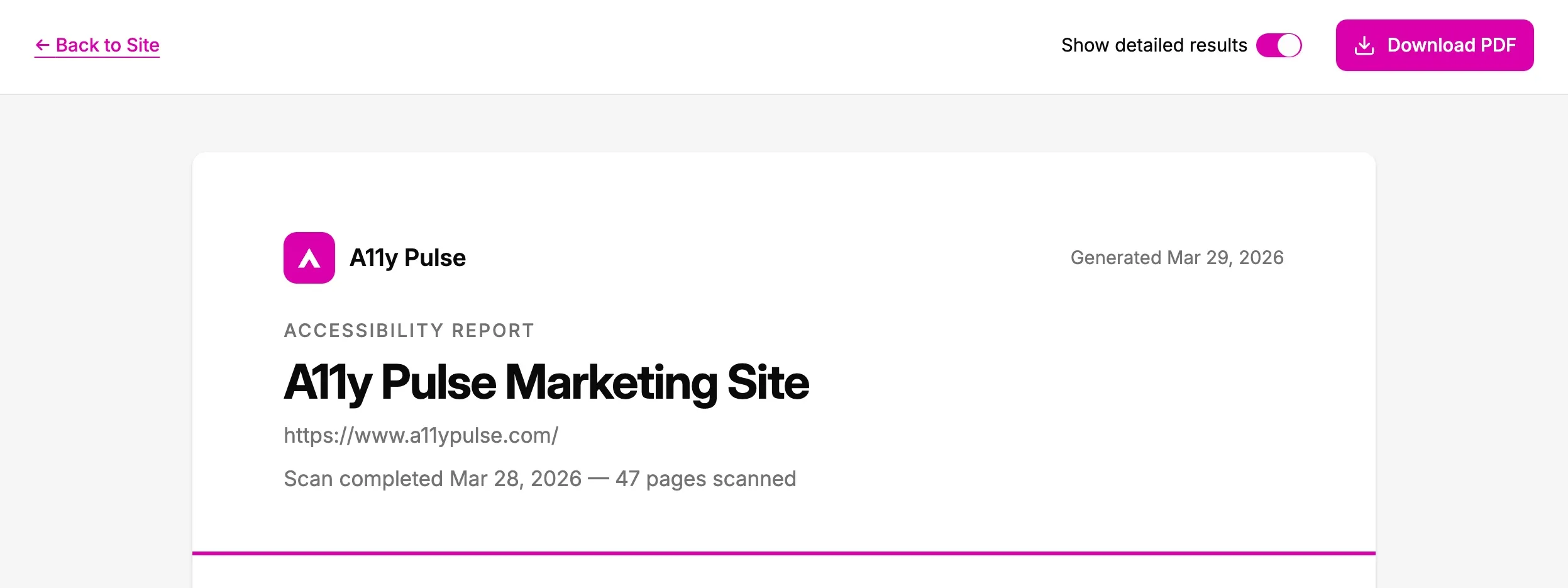
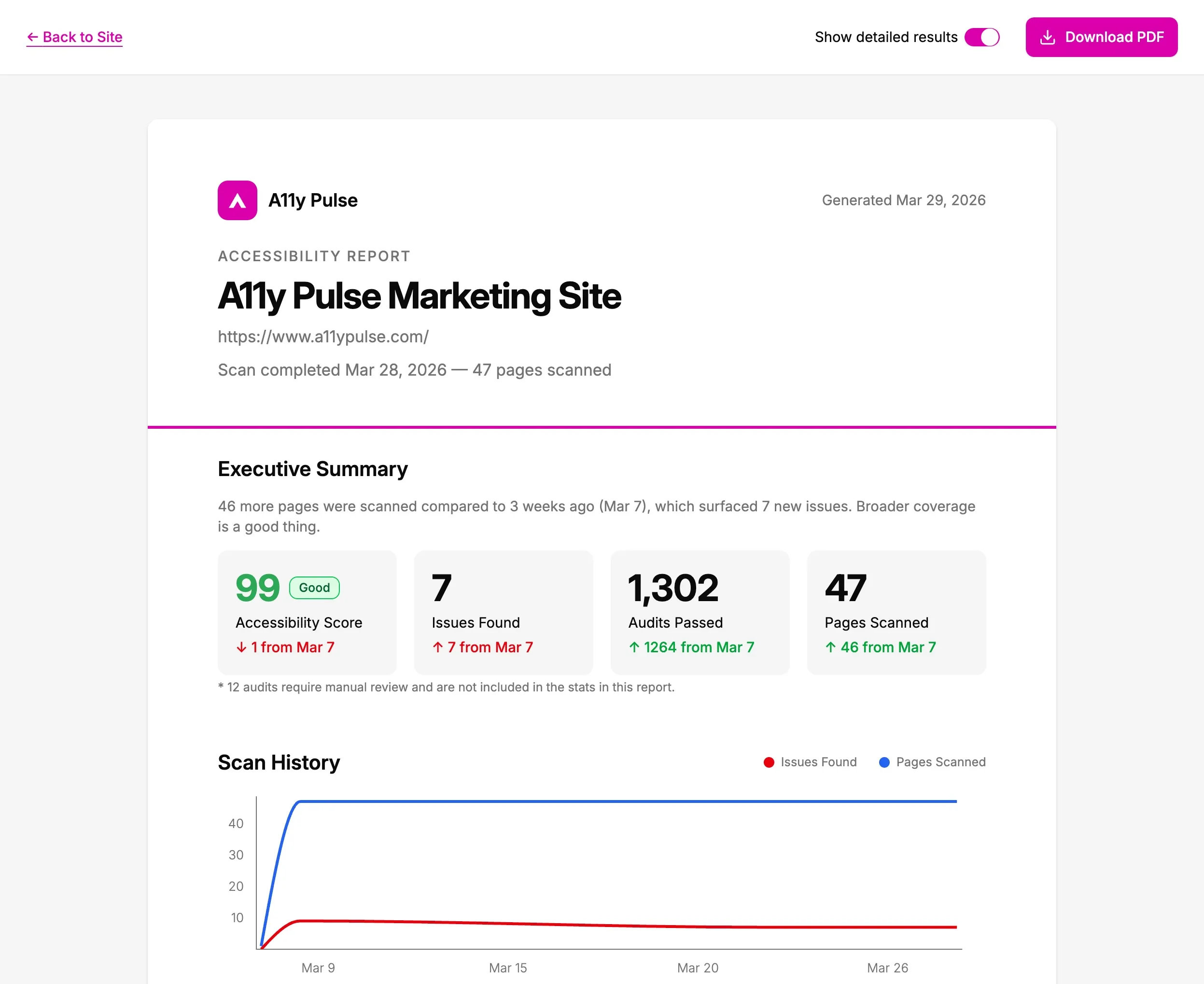
From any scan, click Download PDF Report to preview a comprehensive report that covers everything leadership needs to see:
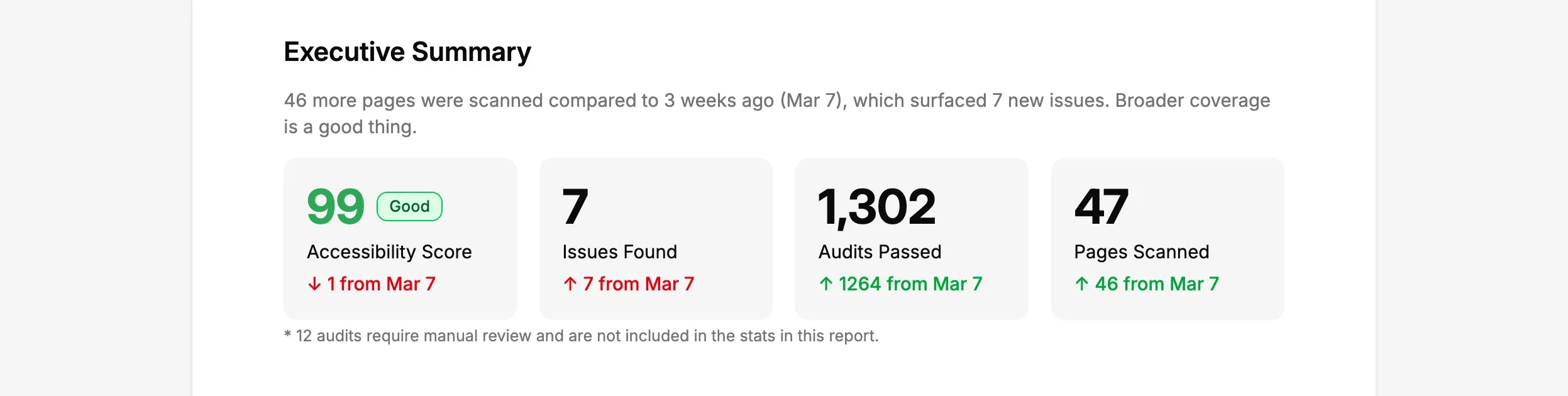
An executive summary that tells the story. Not just numbers - a narrative. “46 more pages were scanned compared to 3 weeks ago, which surfaced 7 new issues. Broader coverage is a good thing.” The kind of framing that helps non-technical stakeholders actually understand what’s happening.
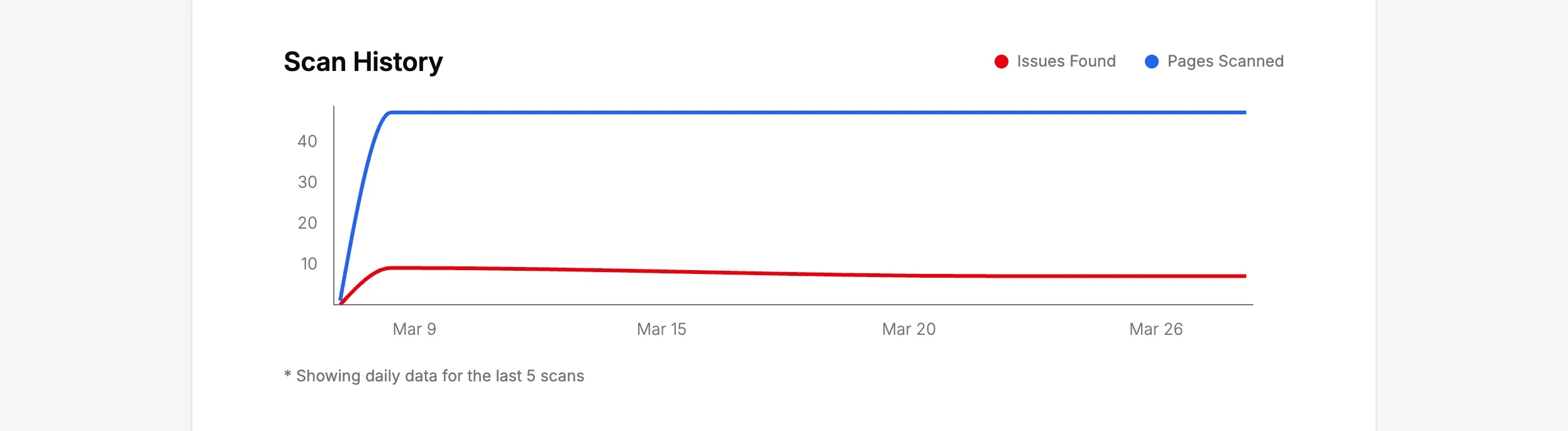
Scan history trends. A chart showing issues found and pages scanned over time - so leadership can see the trajectory, not just a single snapshot.
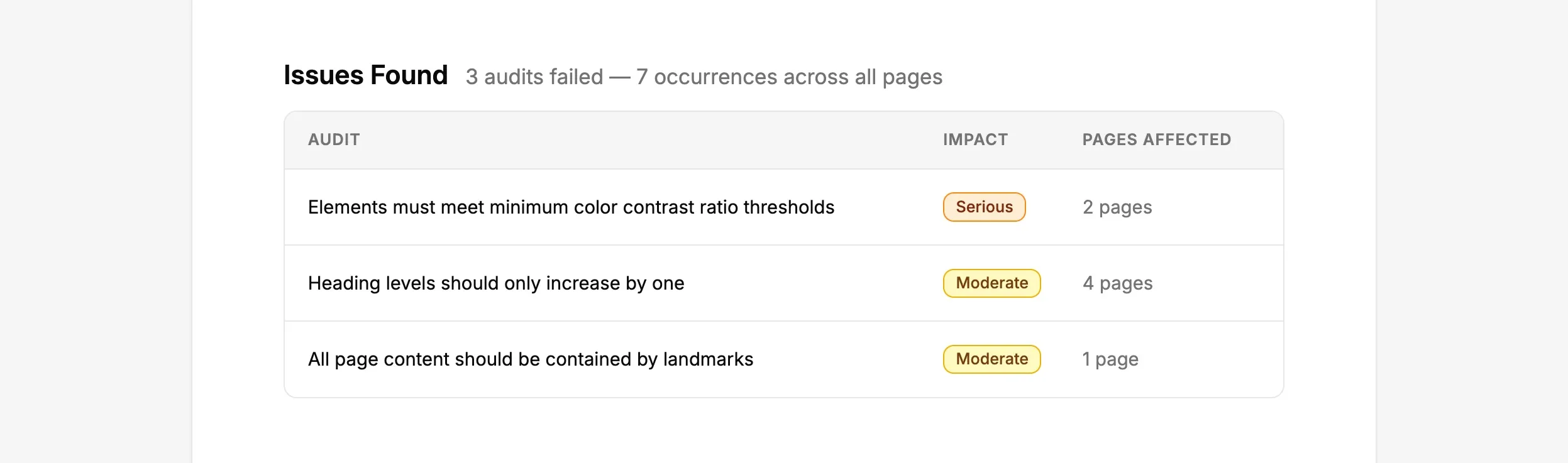
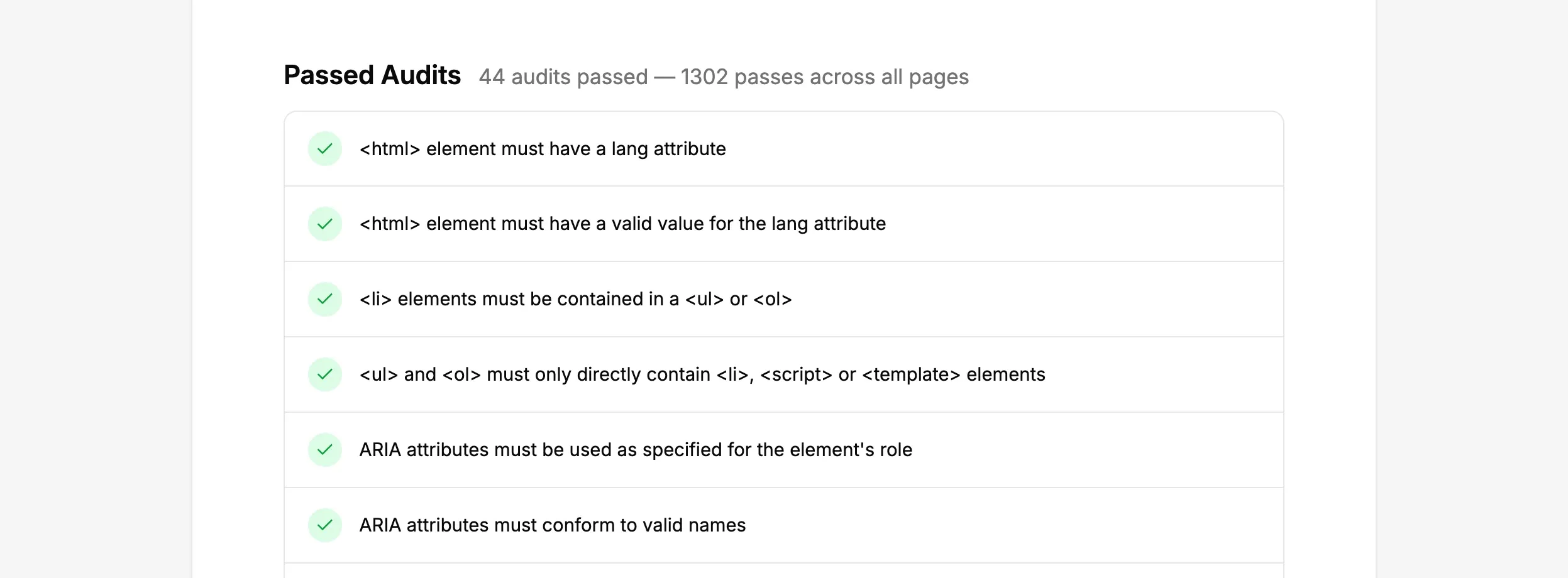
Issues that need attention, and audits that are passing. The report doesn’t just highlight problems - it celebrates what’s working. 44 audits with no issues and 1,302 checks passed site wide is a story worth telling.
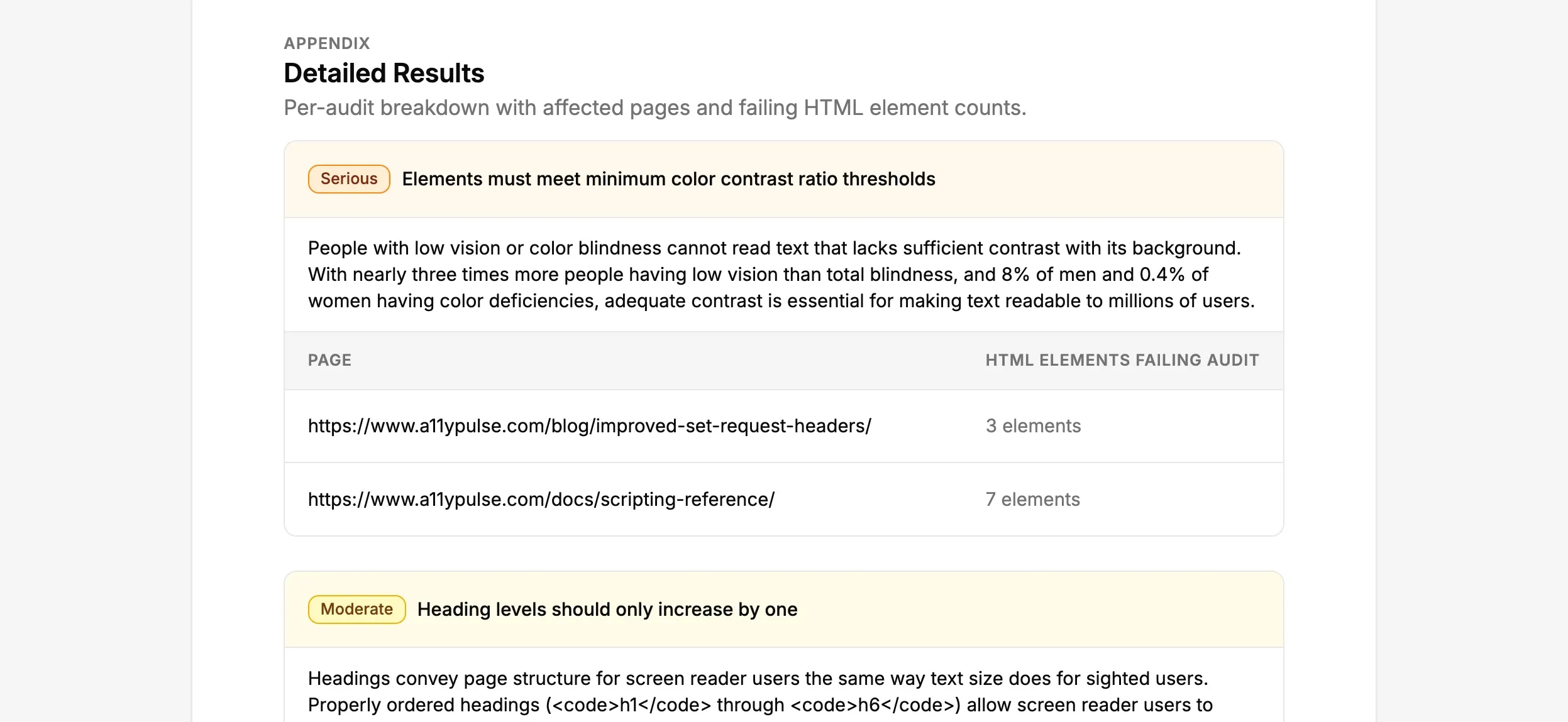
A detailed appendix with per-audit breakdowns, affected pages, and failing element counts - for anyone who wants to dig deeper.
Preview the report in your browser, then download a professional PDF with one click. No screenshotting. No slide-building. No manual data wrangling.
Why this matters
Accessibility gets executive priority when it has executive visibility. A professional report that frames progress as a narrative - not a data dump - gives leadership something they’ll actually read. When progress is visible, it’s easier to celebrate wins, justify continued investment, and keep the organisation committed to doing the right thing.
Built from a real need
This feature was built in direct response to a customer whose senior team asked them to report on accessibility status - and they had nothing to hand over. If that sounds familiar, this is for you.
Try it now
Start showing leadership what your accessibility work is achieving. Log in to A11y Pulse, open any scan, and generate your first report.
If you’re not using A11y Pulse yet, sign up at a11ypulse.com, reports are available on all plans.
Questions? We would love to hear from you. Drop us a line at [email protected].