Introducing the A11y Pulse MCP Server: Fix your entire site without leaving your IDE

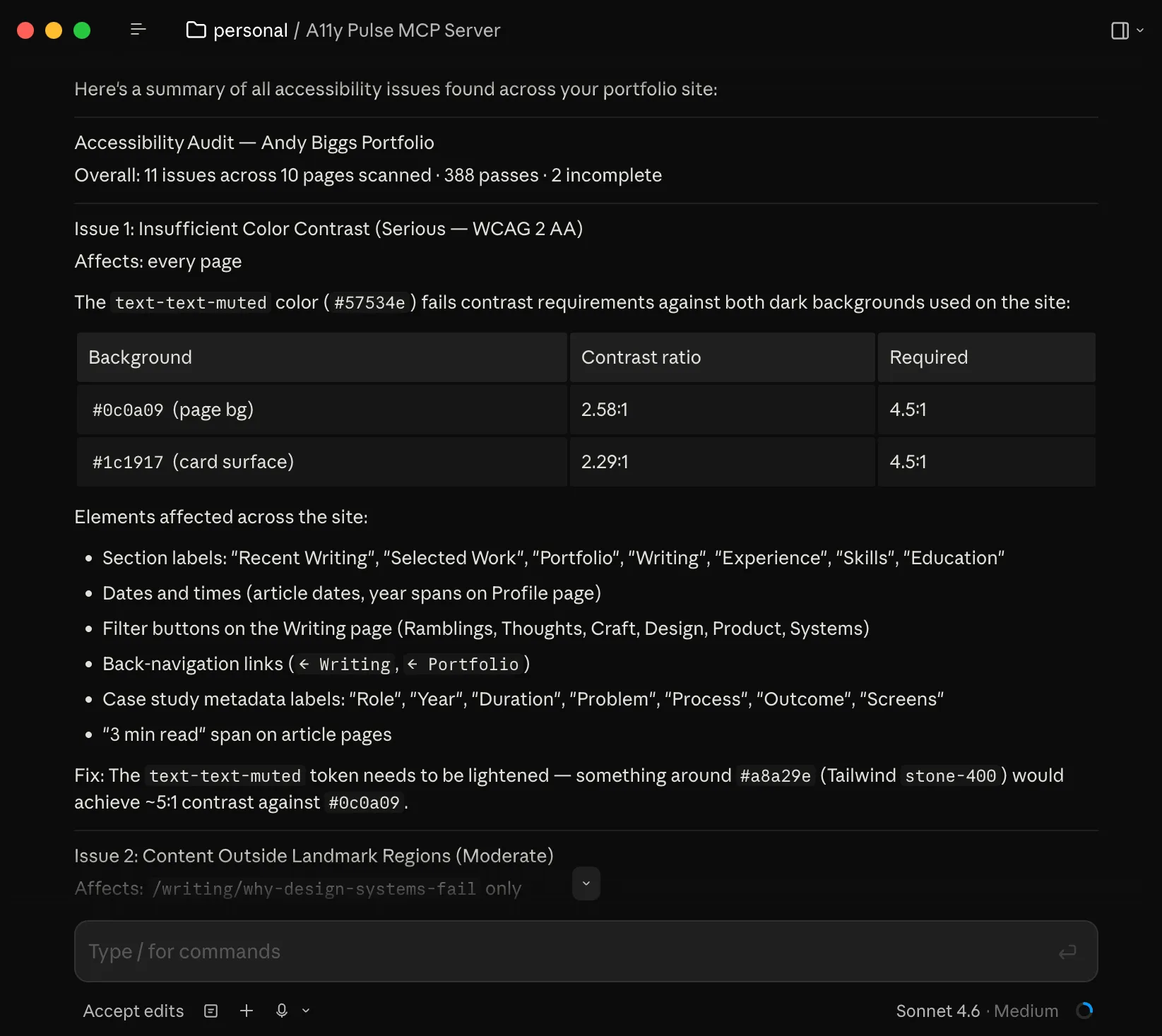
Your AI agent can refactor your code, write your tests, and ship your features. It just can’t see your accessibility issues.
The A11y Pulse MCP server closes the gap, and it knows exactly what to do with what it finds.
The problem: fixing accessibility issues is tedious, manual work
You log into the A11y Pulse dashboard, find a violation, read the description, context-switch to your editor, hunt down the relevant component, apply the fix and repeat. For every issue. Across every page on your site.
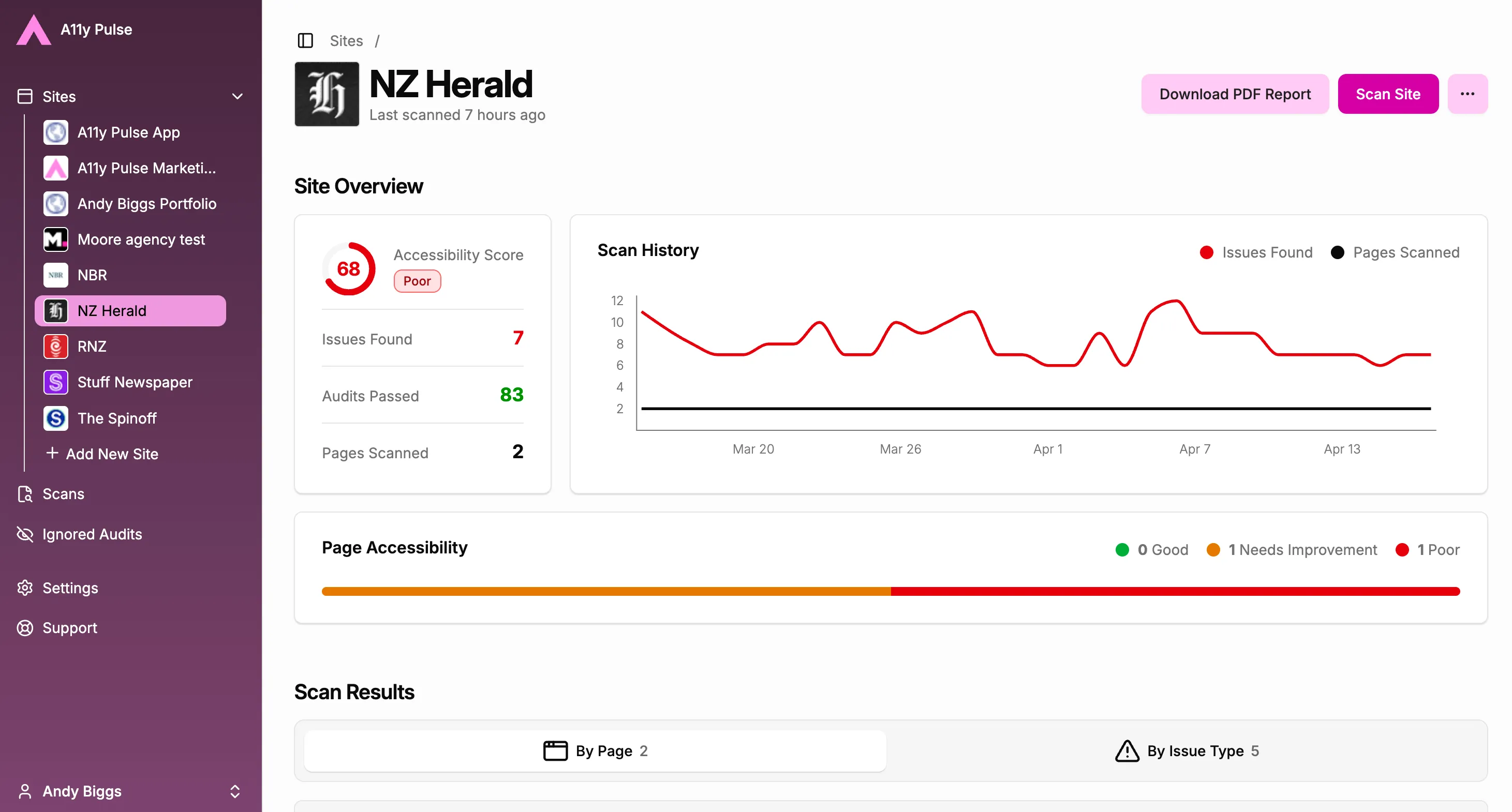
Your AI coding agent is right there in your IDE ready to help, but until now it had no way to access your audit data. There was no bridge between the issues in your dashboard and the tools you actually work with every day.
The solution: your agent reads your entire site and gets to work
We’ve just launched the A11y Pulse MCP server, a single connection that gives your AI coding agent direct access to your full accessibility audit data.
Not just one page. Every page of the site. Every violation, already scanned and prioritised by impact. And alongside the data, the server provides your agent with the domain expertise to act on it: how to interpret each violation, how to trace a flagged DOM node back to the right source component, and how to generate a correct fix rather than a guess.
The agent fetches your violations, prioritises them by severity, maps them to your source files, and suggests targeted fixes: grouped by file, ready for your review. You approve what to apply, nothing changes without you.
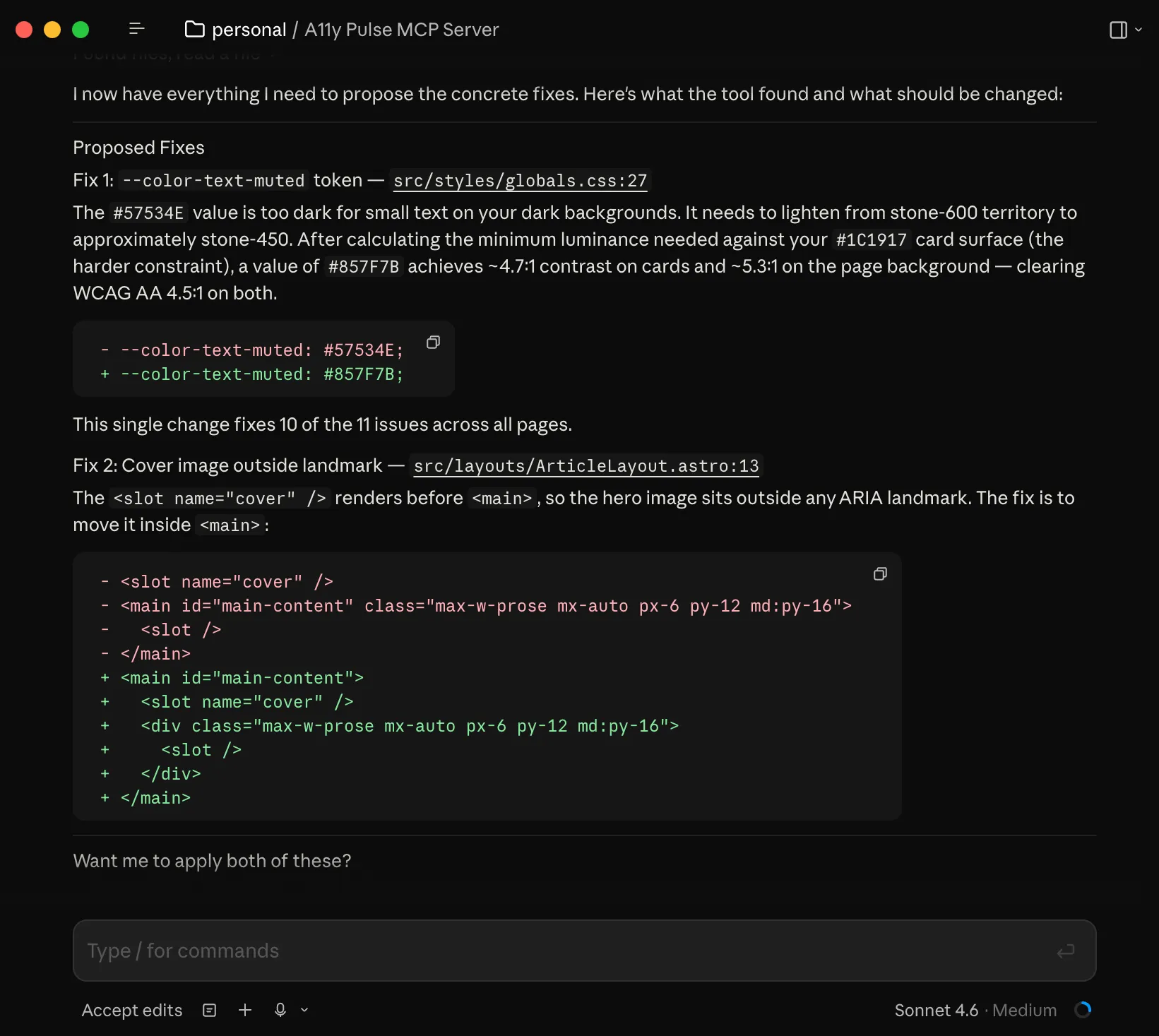
Getting started
The MCP server is hosted at mcp.a11ypulse.com no local install required. Head to Settings > Integrations > MCP Server in the A11y Pulse App, grab your API key, and copy the config snippet for your tool of choice: Claude Code, Cursor, or GitHub Copilot.
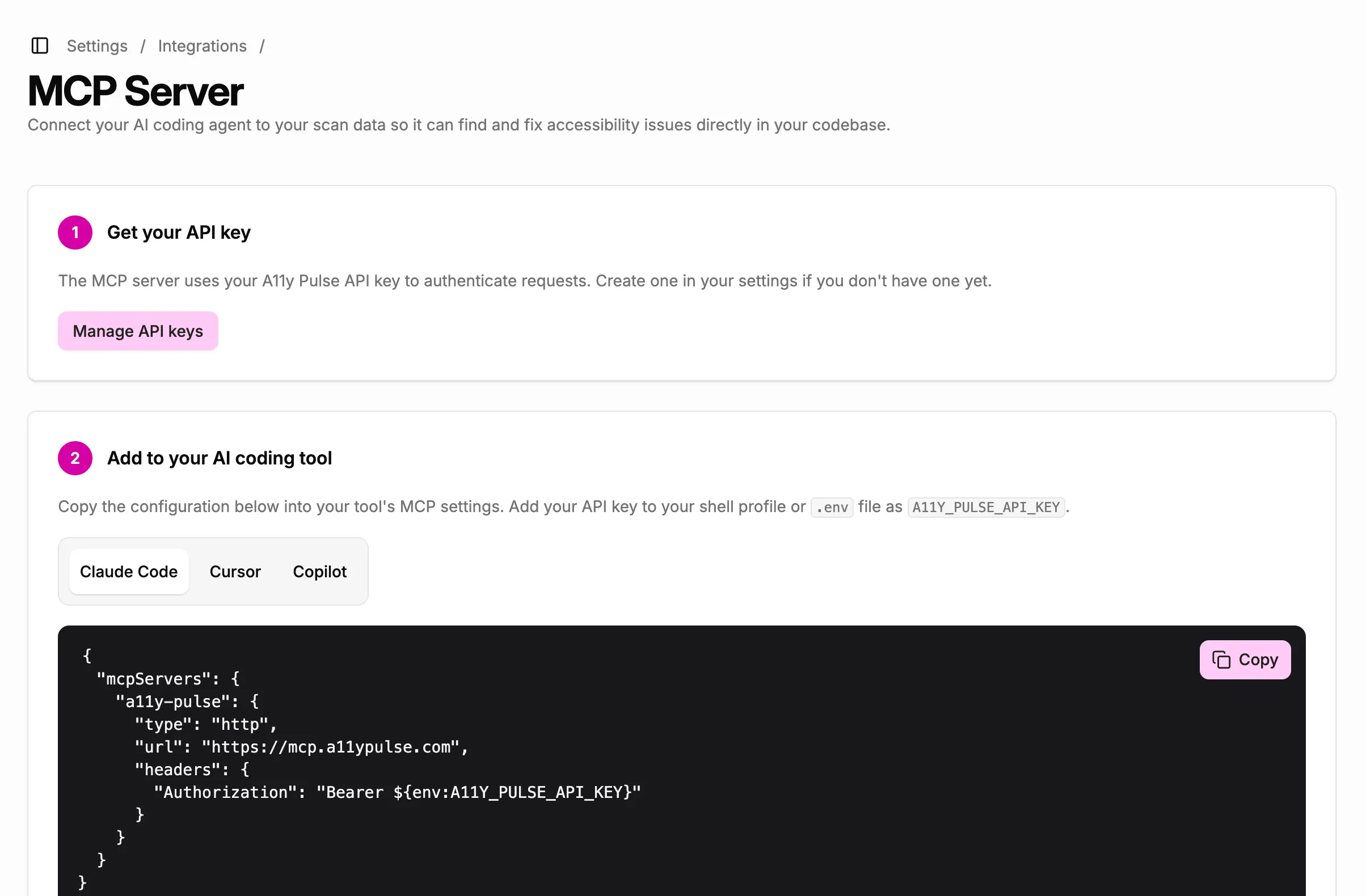
One connection. Your agent does the rest.
For full setup instructions, see the MCP Server help doc.
Why this matters
Every other accessibility MCP server works the same way: point it at a URL, it scans the live page, it tells you what’s wrong. That’s useful for a quick audit, but it’s still one page at a time, and it’s still just a report.
The A11y Pulse MCP server is different. It works from your stored audit data, the same results you’d see in the dashboard, which means your agent has the full picture from the moment it connects. Site-wide context, issues prioritised by real impact, not just whatever happens to be on a single page. And because the server ships with built-in accessibility expertise: how to interpret each violation, how to trace a flagged DOM node back to the right source component, how to generate a correct fix. Your agent doesn’t just report problems, it proposes solutions.
Accessibility debt doesn’t accumulate one page at a time. It shouldn’t have to be fixed that way either.
Try it now
The A11y Pulse MCP server is live for all customers today. If you’re already using Claude Code, Cursor, or GitHub Copilot, you’re a few minutes away from having your agent work through your accessibility backlog.
Not using A11y Pulse yet? Sign up for a free trial and see how easy it is to bring continuous accessibility testing into your team's workflow.
Questions? We would love to hear from you. Drop us a line at [email protected].