
Published
It’s only January, but the A11y Pulse team have already been busy releasing exciting new features to level up your accessibility testing in 2026. Here’s a quick recap of how we’ve started the year.
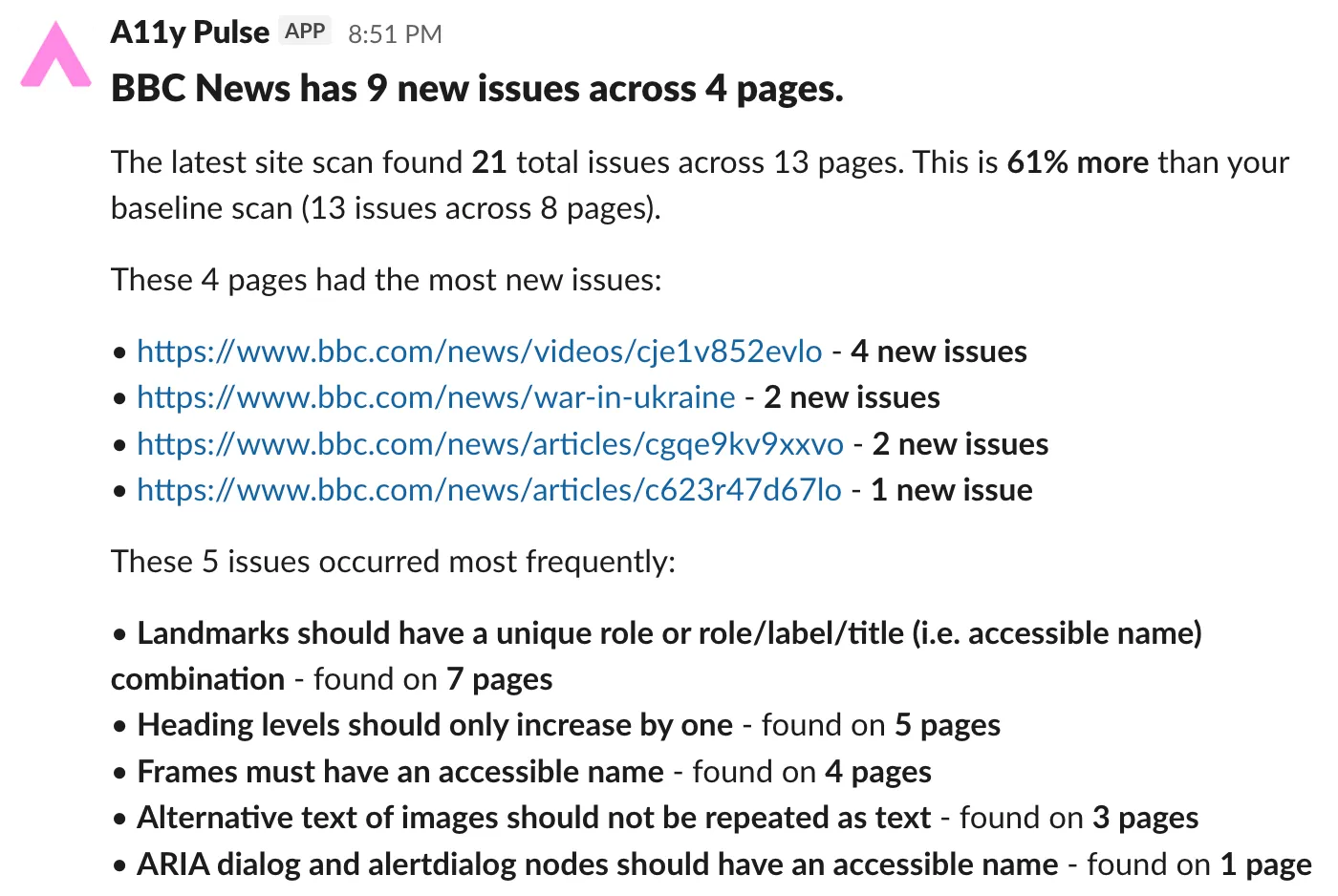
Accessibility alerts directly to your emails or Slack
You can now set a baseline accessibility score for each of your sites in A11y Pulse, and configure alerts for when the number of issues goes over a certain threshold. These alerts can be sent via email, or to your Slack workspace. See our alerting documentation for more information.
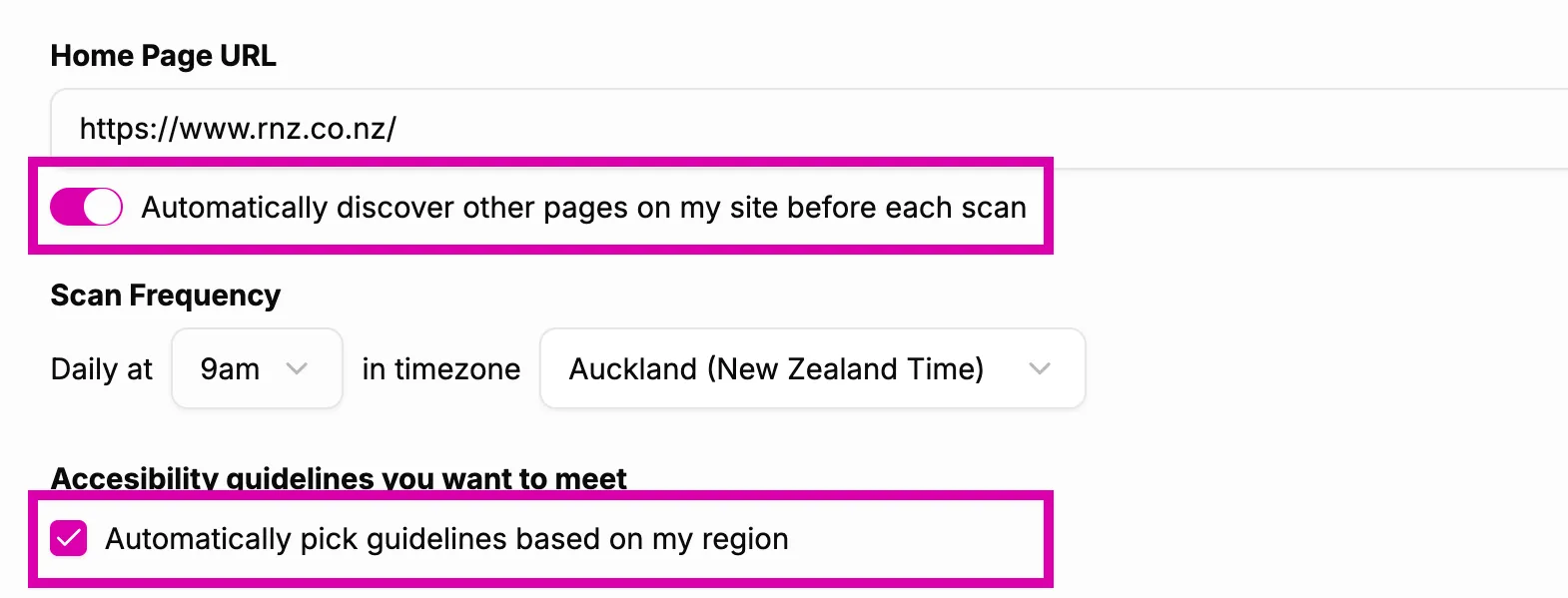
Automatic page discovery and automatic guideline selection
One of our primary goals is to lower the barriers to automated accessibility testing. We’ve added two small but impactful settings that help you get the most out of A11y Pulse with minimal setup.
The first setting is automatic page discovery - with this enabled, A11y Pulse will crawl your site before running each scan, ensuring it scans the latest pages. This is especially useful for sites whose content changes often, for example news websites, online stores, or local government portals.
The second setting is automatic guideline selection - with this enabled, A11y Pulse will ensure your site is tested against the relevant guidelines in your region. This takes the guesswork out of setting up your accessibility testing, and keeps your testing updates as regulations evolve.
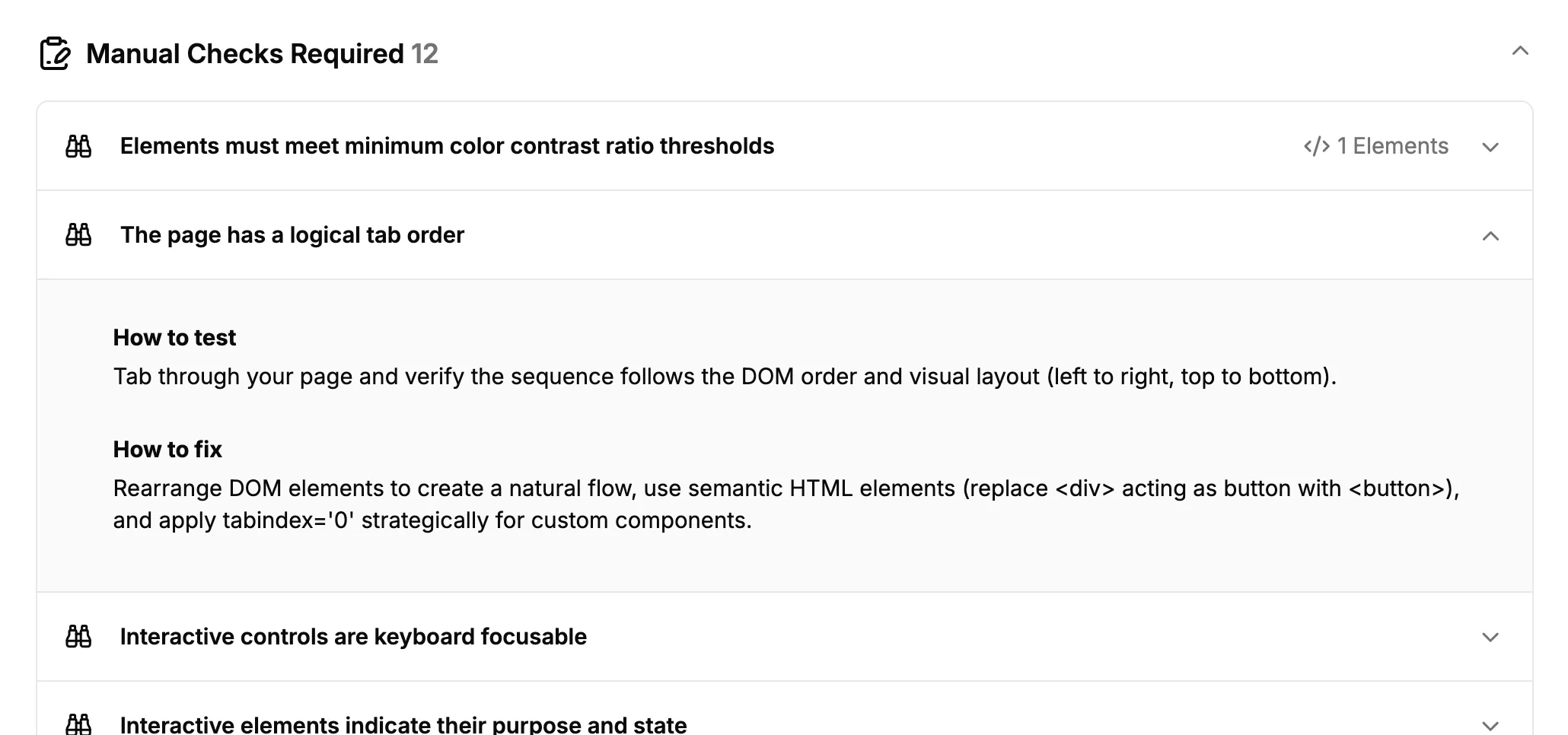
More detailed manual checks
When reviewing your accessibility reports, A11y Pulse now guides you through several important manual checks. Since these audits that cannot be performed automatically, we provide you with detailed steps that help you test and fix potential issues.
We’re only just getting started!
2026 is going to be an exciting year for both A11y Pulse and the wider web accessibility community. We will continue to innovate and improve our tools to further our goal of making accessibility testing part of every web team’s process!
Not using A11y Pulse yet? Sign up for a free trial and see how easy it is to bring continuous accessibility testing into your team's workflow.
Questions? We would love to hear from you. Drop us a line at [email protected].