
The A11y Pulse API allows you to access your accessibility data programmatically. You can use it to retrieve sites, pages, and scan results, and integrate A11y Pulse into your own tools and workflows. View the interactive API reference.
Contents:
Generating an API key
⚠️ After creating a new API key, you should copy the key immediately and store it somewhere safe. It will not be shown again. API keys begin with a11y_ followed by a random string.
To generate an API key, go to your A11y Pulse Settings page and scroll down to the API Keys section. From here you can create a new API key or revoke existing ones.
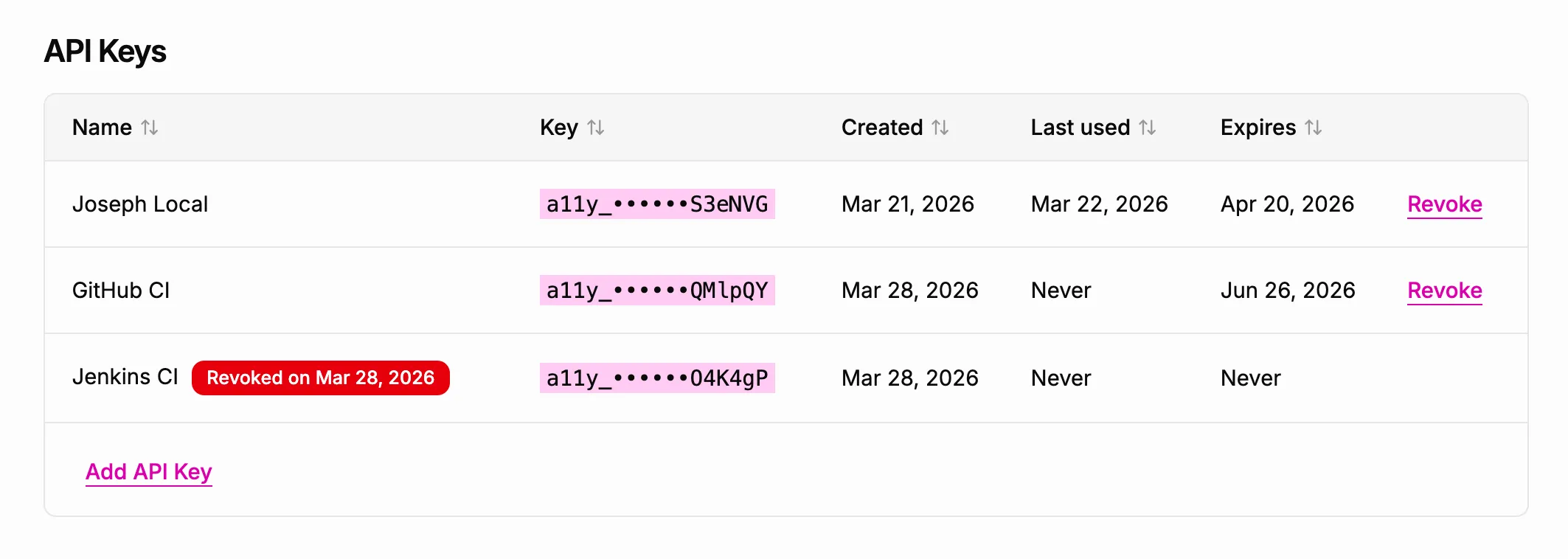
When revoking an API key, it will immediately stop working and any requests using that key will receive a 401 Unauthorized response.
Authentication
All API requests must include your API key as a Bearer token in the Authorization header:
Authorization: Bearer a11y_yourkeyRequests without a valid API key will receive a 401 Unauthorized response.
Interactive API reference
An interactive API reference is available at api.a11ypulse.com/docs. You can use it to explore all available endpoints and try them out directly in your browser.
Base URL
https://api.a11ypulse.com/v1Pagination
List endpoints return paginated results. Use the page and perPage query parameters to control pagination. The response includes a meta object with the following fields:
| Field | Description |
|---|---|
total | Total number of records |
page | Current page number |
perPage | Number of records per page |