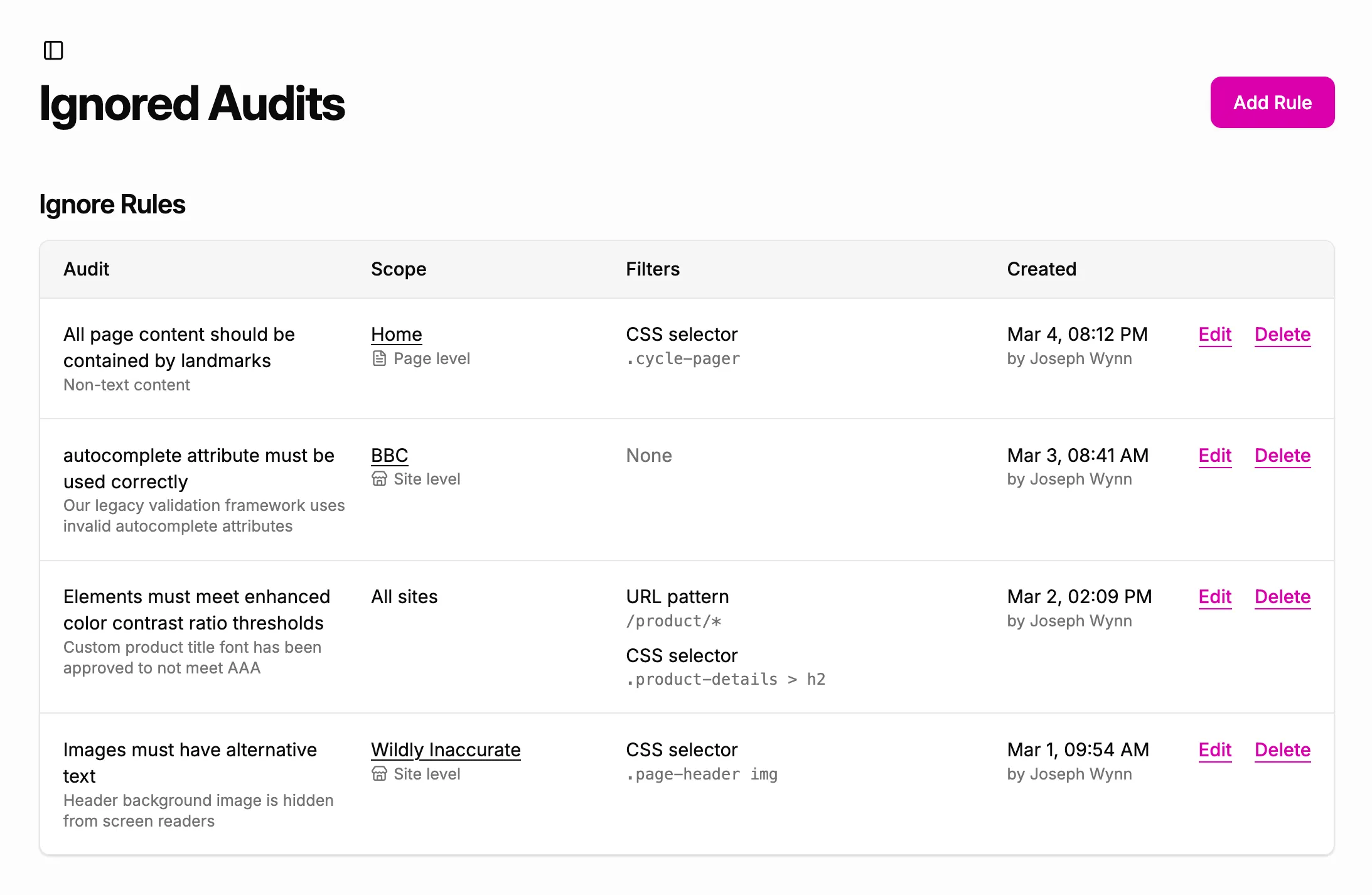
Ignored Audits is a feature in A11y Pulse that allows you to ignore specific accessibility issues on your site. This can be useful for reducing false positives, documenting exceptions, and focusing on the most important issues.
How to ignore an issue
There are two ways to ignore an issue: by finding the issue in a scan report, or by creating a rule directly from the Ignored Audits page.
Ignoring an issue from a scan report
To ignore an issue from a scan report, expand an issue and click on the three dots next to any of the failing elements. Then click the Ignore this issue button.
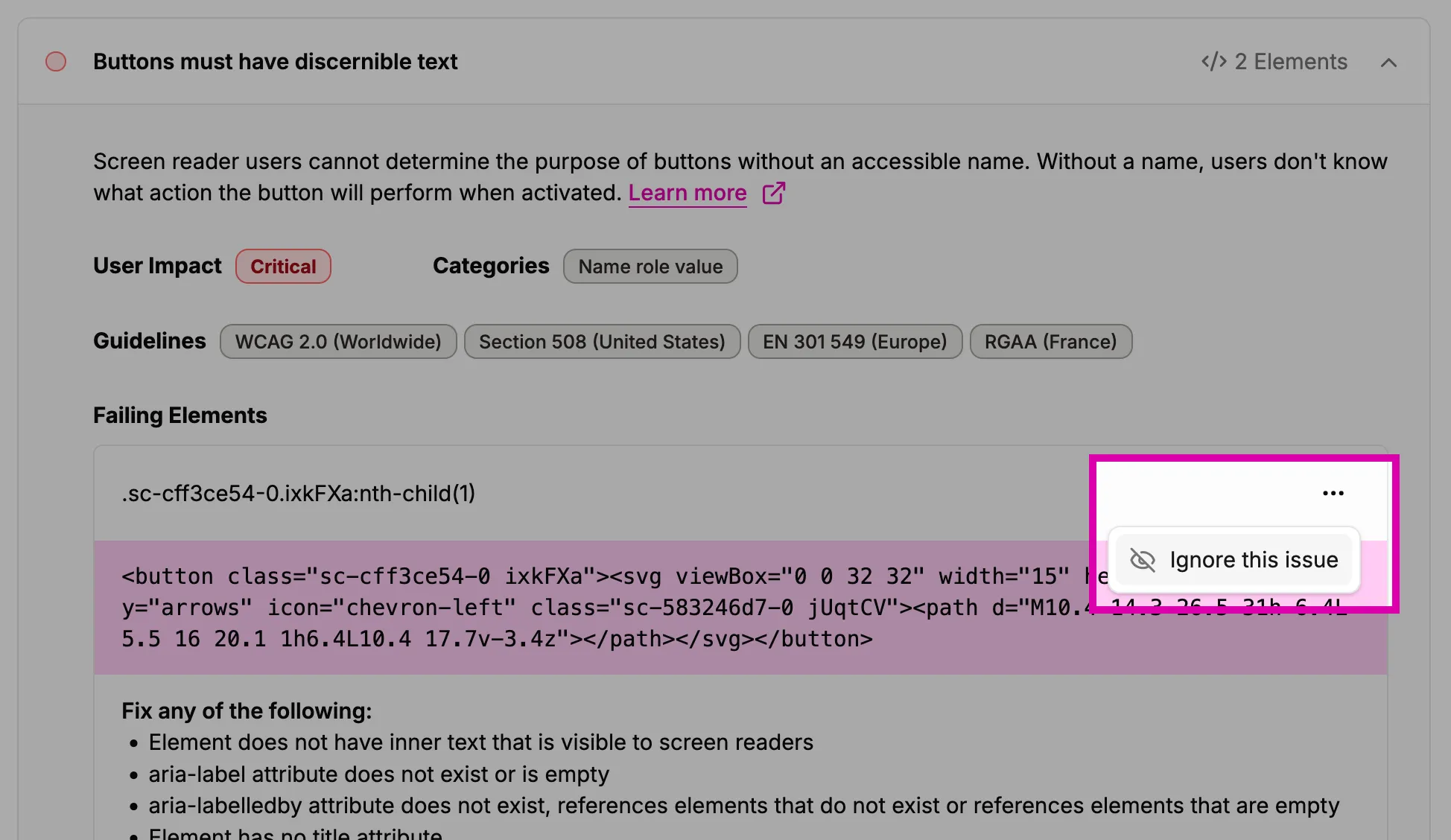
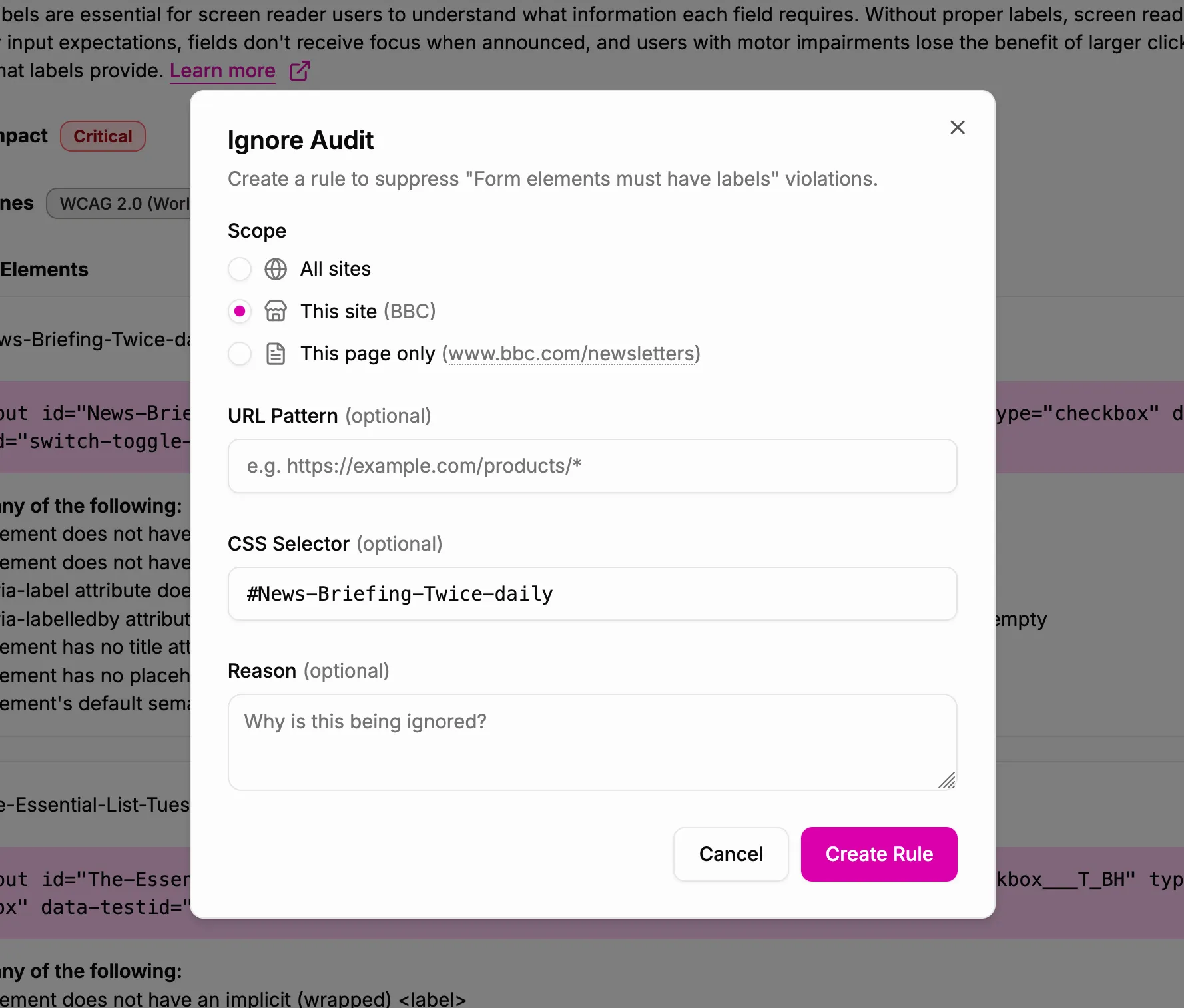
This will open the Ignore Audit dialog, where you will define the rule for ignoring this issue. There are three sections in this dialog:
- Scope: Ignore rules can be scoped to all pages in all of your sites, to all pages in one specific site, or to one specific page in a site.
- Filters: You can further refine the scope of a rule by adding a URL pattern or CSS selector. A URL pattern is useful when you want to apply a rule to multiple pages in a site, but not all of them. URL patterns can contain wildcards using the asterisk
*character. A CSS selector is useful when you want to ignore an issue for specific elements on a page. - Reason: Adding a reason for ignoring an issue is optional, but it can be helpful for documentation purposes. You can use this field to explain why you are ignoring this issue, and any context that might be relevant for future reference.
Ignoring an issue from the Ignored Audits page
The Ignored Audits page in the main navigation has an Add Rule button at the top-right of the page. This will open the same Ignore Audit dialog described above.
Managing ignored issues
The Ignored Audits page shows a list of all of your ignored issues, along with their scope, filters, and reason. You can edit or delete any rule from this page.