
Alerting is a feature in A11y Pulse that notifies you when your site’s accessibility score gets worse. You can configure alerting thresholds and recipients separately for each site in A11y Pulse.
Contents:
- How to set up alerting
- When alerts are sent
- Receiving alert emails
- Receiving alerts in Slack
- Setting up a Slack integration
- Receiving too many alerts
How to set up alerting
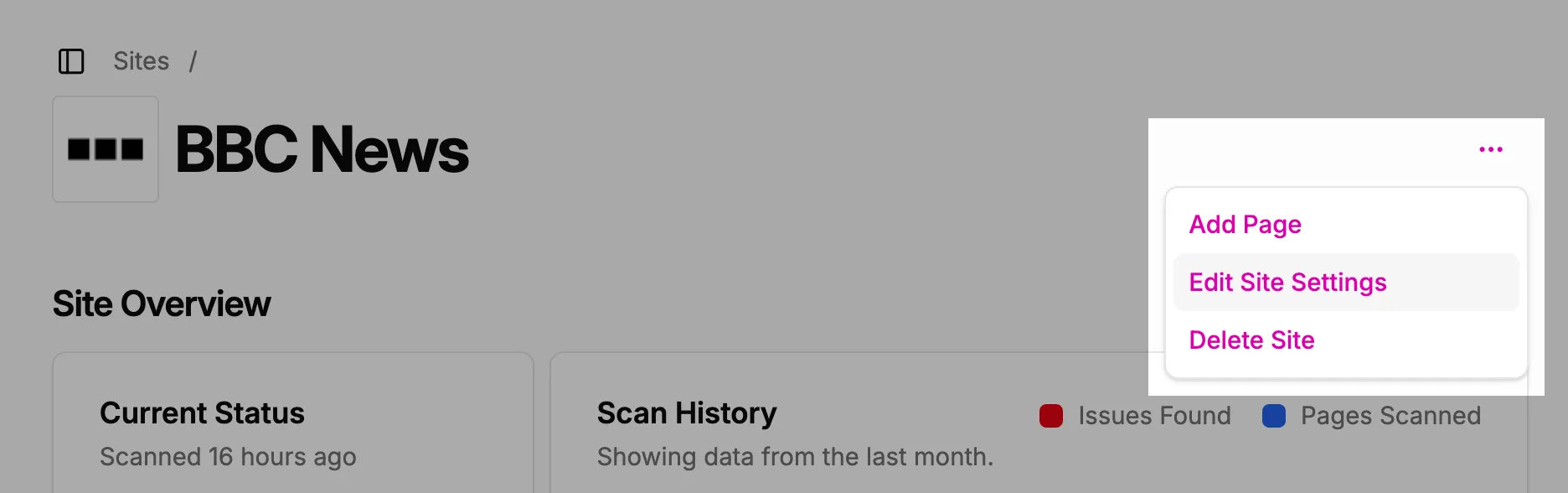
To set up alerting for a site in A11y Pulse, go to the Sites page and click the Edit Site Settings button for the site you want to set up alerts for.
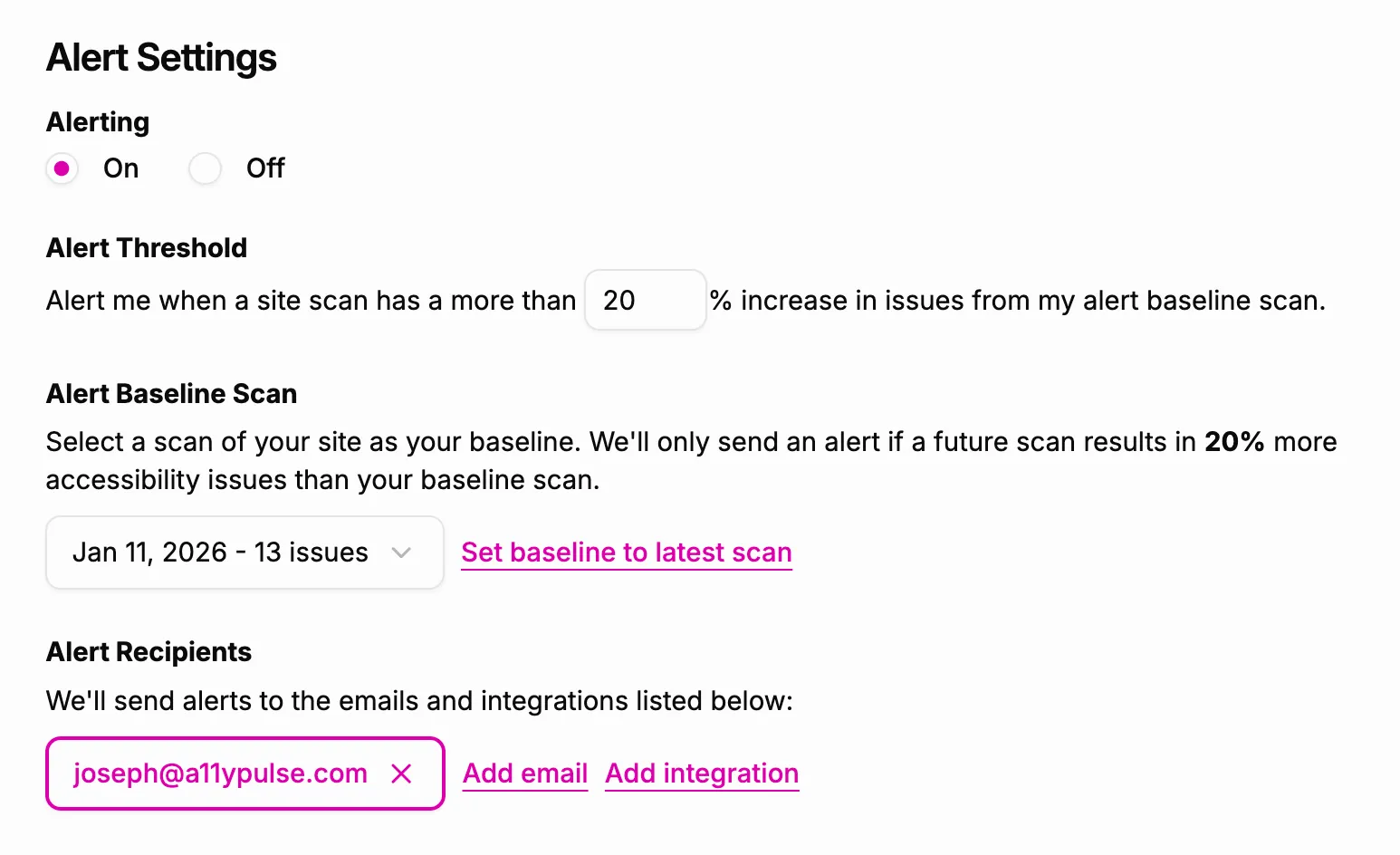
Scroll down to the Alert Settings section. Here, you will find the following fields:
- Alerting
A toggle to enable or disable alerting for the site. - Alert Threshold
A percentage value that determines how many more accessibility issues must be detected compared to the baseline scan in order to trigger an alert. - Alert Baseline Scan
The scan that will be used as the baseline for comparison when determining if an alert should be sent. - Alert Recipients
Who should receive the alert notifications. You can add email addresses or integrations (such as Slack) as recipients.
When alerts are sent
Alerts are processed once every hour. The most recent scan for each site is compared to the selected baseline scan. If the number of new accessibility issues detected exceeds the configured alert threshold, an alert is sent to the specified recipients.
Receiving alert emails
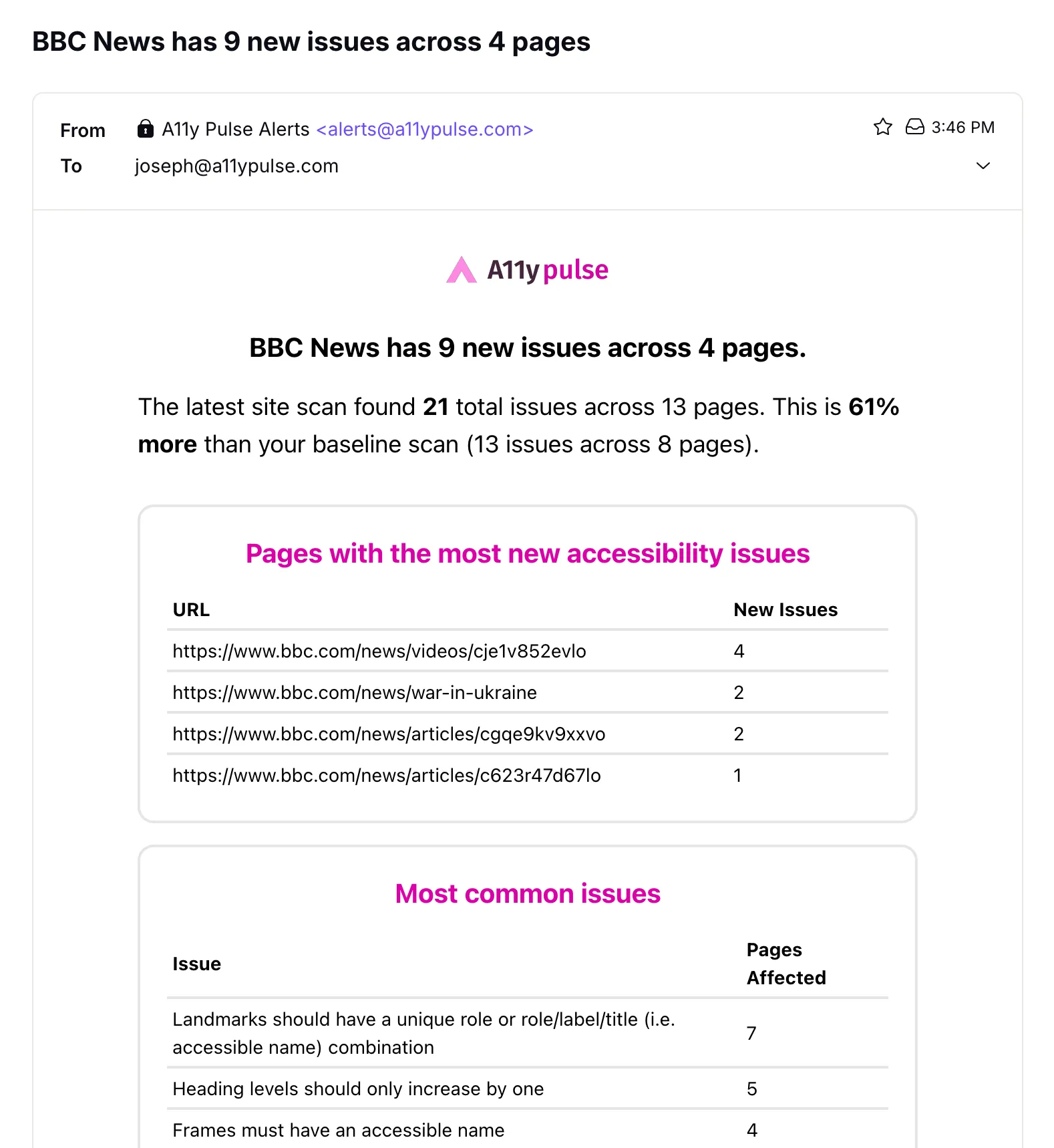
When an email address is added as an alert recipient, that address will receive an email notification when an alert is triggered. Alert emails are sent from [email protected]. See below for an example alert email.
Receiving alerts in Slack
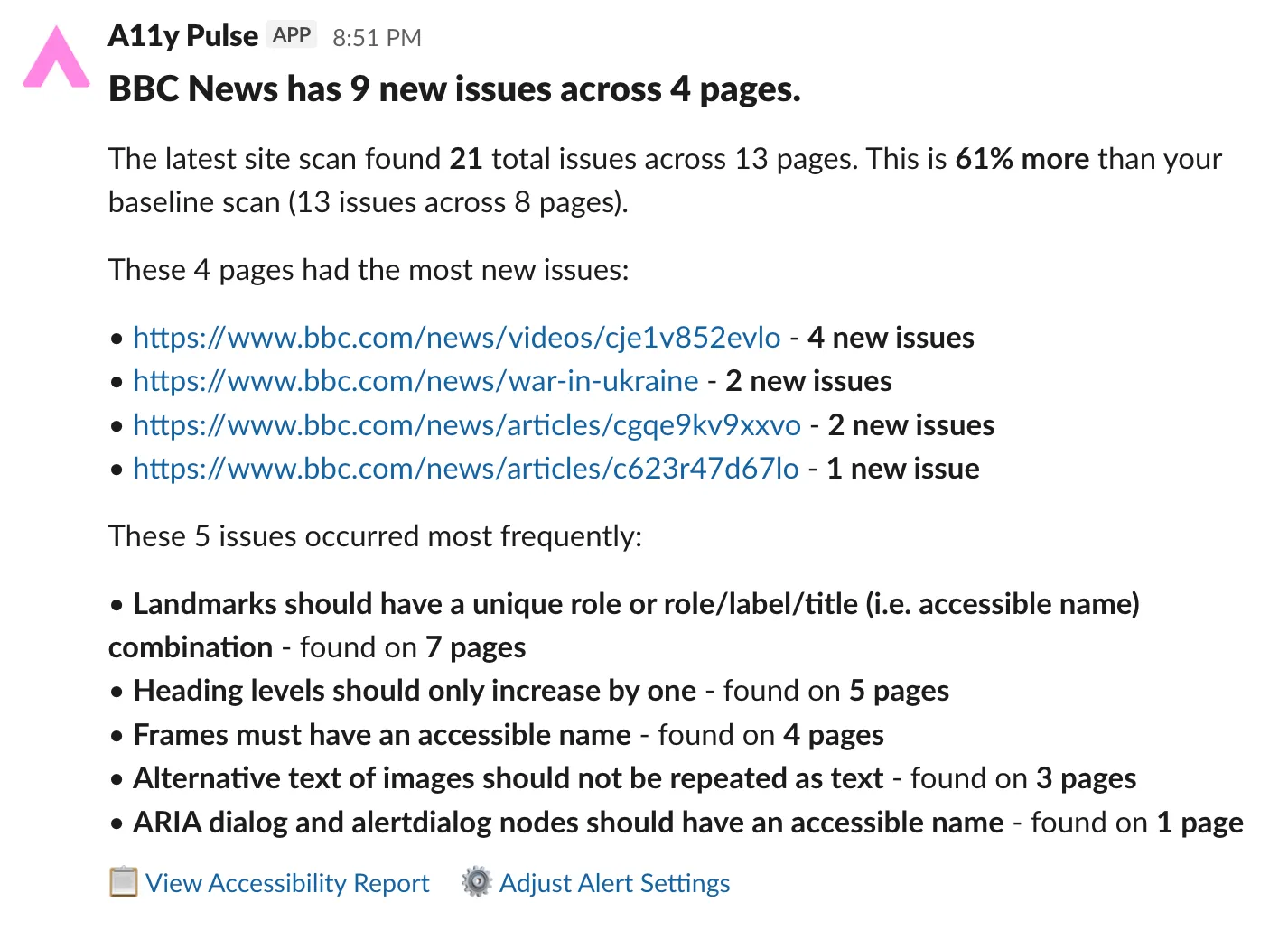
When a Slack integration is added as an alert recipient, a message will be sent to the specified Slack channel when an alert is triggered. See below for an example alert message in Slack.
Setting up a Slack integration
See the Slack Integration documentation for instructions on how to set up a Slack integration in A11y Pulse. Once you have set up a Slack integration, you can add it as an alert recipient in the Alert Settings section for a site.
Receiving too many alerts
If you find that you are receiving too many alerts, consider adjusting the alert threshold to a higher percentage. This will reduce the frequency of alerts by requiring a larger increase in accessibility issues before an alert is triggered. Additionally, you can review and update the baseline scan to ensure it accurately reflects the current state of your site’s accessibility.