Introducing the A11y Pulse API: Your accessibility data, wherever you need it

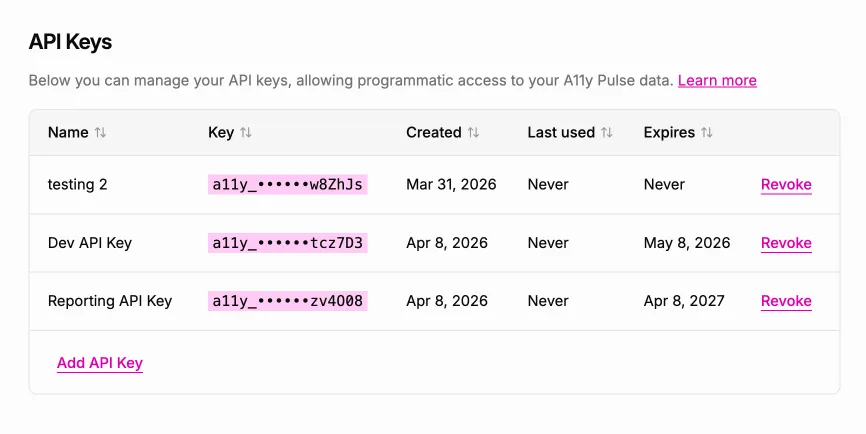
Your accessibility data is valuable — but until now, it’s only been useful in one place: inside A11y Pulse. We’ve just launched a Public API so you can take it wherever you need it.
The problem: accessibility data stuck behind a login
Most teams already have a place where they track how their sites are doing. A site health dashboard in Grafana. A BI tool pulling from a data warehouse. A Jira board for engineering work. A Slack channel where the weekly report lands every Monday morning.
Accessibility hasn’t been part of any of that. If you wanted scores and issue counts to show up alongside everything else your team monitors, your options were “log in to A11y Pulse and screenshot it” or “leave it out”. Neither is good enough for a metric your team genuinely cares about.
The solution: a Public API for your A11y Pulse data
You can now generate an API key from your A11y Pulse settings and pull your sites, pages, and scan results programmatically. Drop them into a dashboard, sync them into Jira, post a weekly summary to Slack, feed them into your BI tool — whatever fits how your team already works.
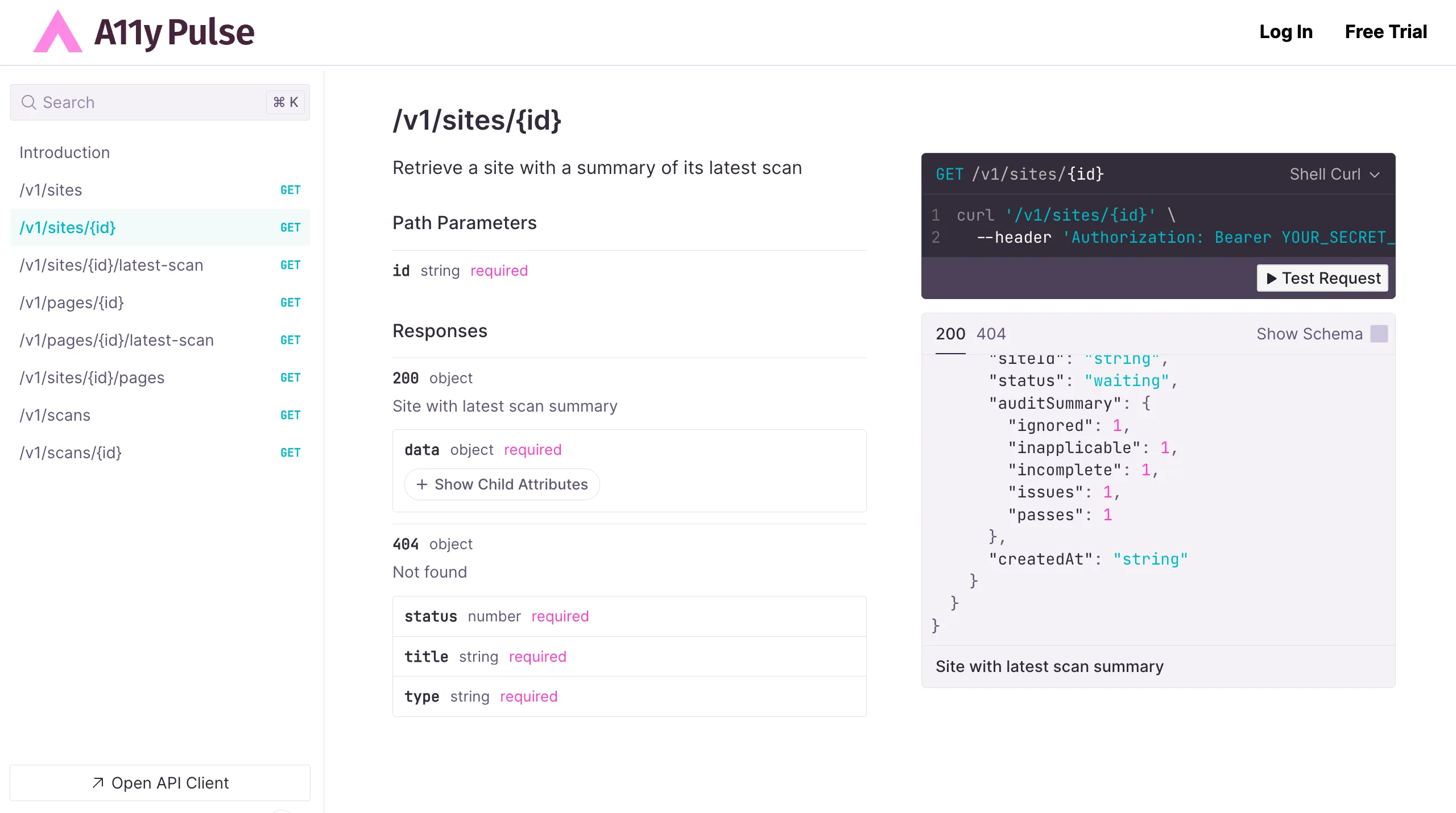
Getting started takes about a minute. Generate a key in settings, send it as a Bearer token, and you’re making requests — no SDKs to install, no OAuth dance, no setup steps. There’s an interactive reference at api.a11ypulse.com/docs where you can explore every endpoint and try requests directly in your browser before writing a single line of code.
Why this matters
Accessibility shouldn’t sit on its own island. Treating it as a first-class signal — right next to uptime, performance, and the rest — is what turns it from “the thing we run before a release” into something your whole team is actually paying attention to.
The API exists to make that easy. The data is yours; you should be able to put it wherever it does the most good.
Built from customer feedback
This feature came from a direct customer request. They were building an internal site health dashboard for their team and wanted A11y Pulse data alongside their other signals. We built the API to make that possible — and to make it possible for everyone else doing the same kind of work.
Try it now
The A11y Pulse API is live for all customers, on every plan. Head to your settings page, generate a key, and start pulling your data into the tools you already use. The full reference is at api.a11ypulse.com/docs, and you can read the API guide for a quick walkthrough.
Not using A11y Pulse yet? Sign up for a free trial and see how easy it is to bring continuous accessibility testing into your team's workflow.
Questions? We would love to hear from you. Drop us a line at [email protected].