New! Store credentials securely with Script Secrets

If you’ve been using our scripting feature to test pages behind authentication, you will have noticed that passwords are stored in plain text. Until now, anyone with edit access in your A11y Pulse account could see them.
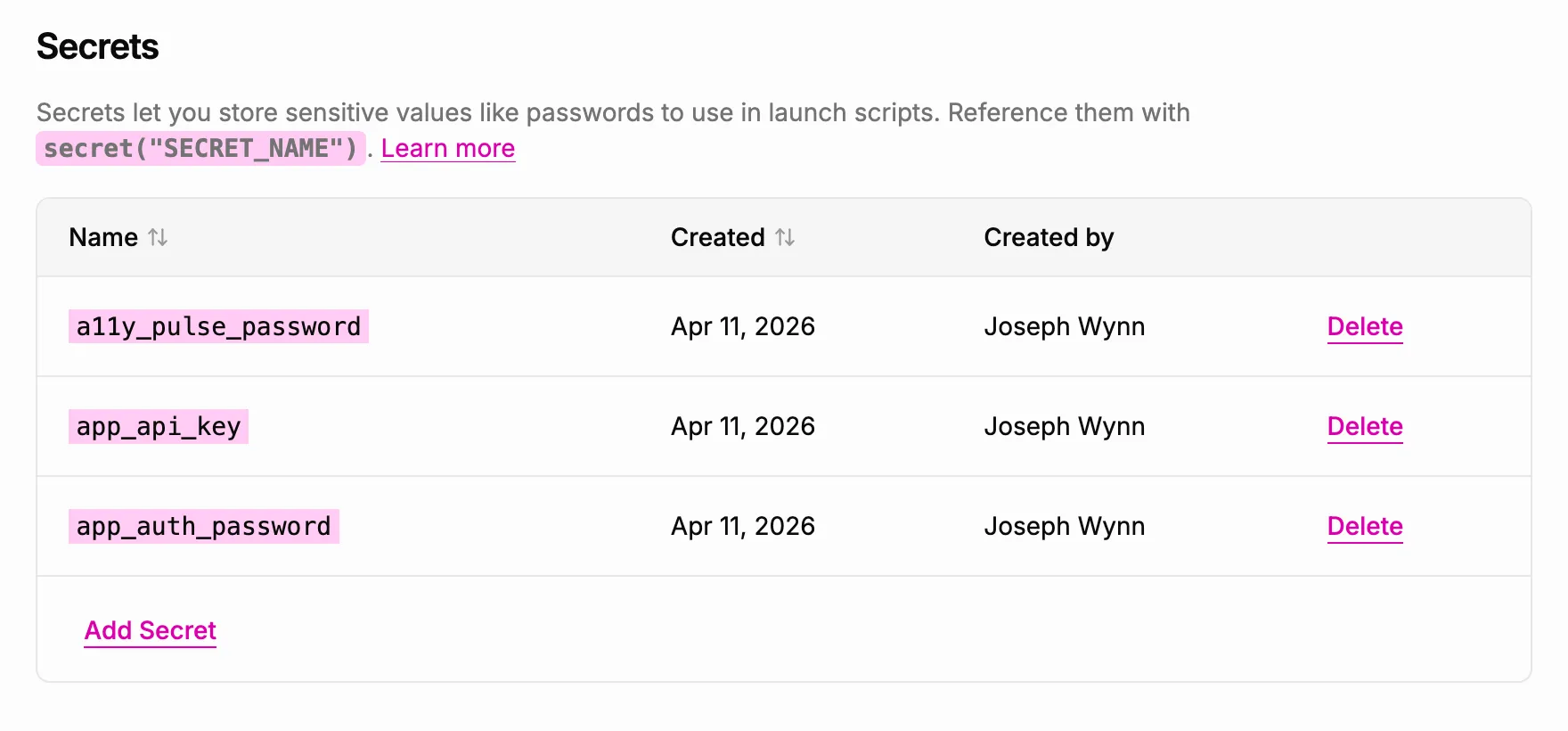
Today we’re shipping Secrets, which provide a way to store sensitive values encrypted and separate from your scripts.
How it works
Secrets are encrypted as soon as you save them, and the plain text value is never stored or logged anywhere. When a scan runs, A11y Pulse looks up the secret value, decrypts it, and substitutes it into the script before executing it. This means you can safely store passwords, API tokens, and other sensitive values without worrying about who can see them.
Getting started with Secrets
Go to Settings → Integrations and find the Secrets section, then create a secret with a name like MY_PASSWORD. Once saved, the value is encrypted and can’t be retrieved — all you can see is the name.
In your scripts, reference it with secret("NAME"):
navigate("https://app.example.com/login");
fill("input[name=email]", "[email protected]");
fill("input[name=password]", secret("MY_PASSWORD"));
click("button[type=submit]");
When a scan runs, A11y Pulse looks up the value, decrypts it, and substitutes it into the script. The plain text value is never logged or stored anywhere other than the encrypted store.
What happens when a secret is missing
If a scan references a secret that doesn’t exist, because it was deleted or renamed, the scan fails immediately with a clear error that names the missing secret. No digging through logs.
Secret names
Secret names can contain letters, digits, and underscores, and are case-sensitive, so MY_PASSWORD and my_password are different secrets. This keeps the syntax consistent with standard environment variable conventions.
To get started, head to Settings → Integrations (Secrets). For the full details, read the Secrets documentation.
Not using A11y Pulse yet? Sign up for a free trial and see how easy it is to bring continuous accessibility testing into your team's workflow.
Questions? We would love to hear from you. Drop us a line at [email protected].