Share proof of progress with any stakeholder, in one click
Generate polished accessibility reports instantly. Share audit results with clients, stakeholders, or auditors without any manual formatting.
Share professional reports
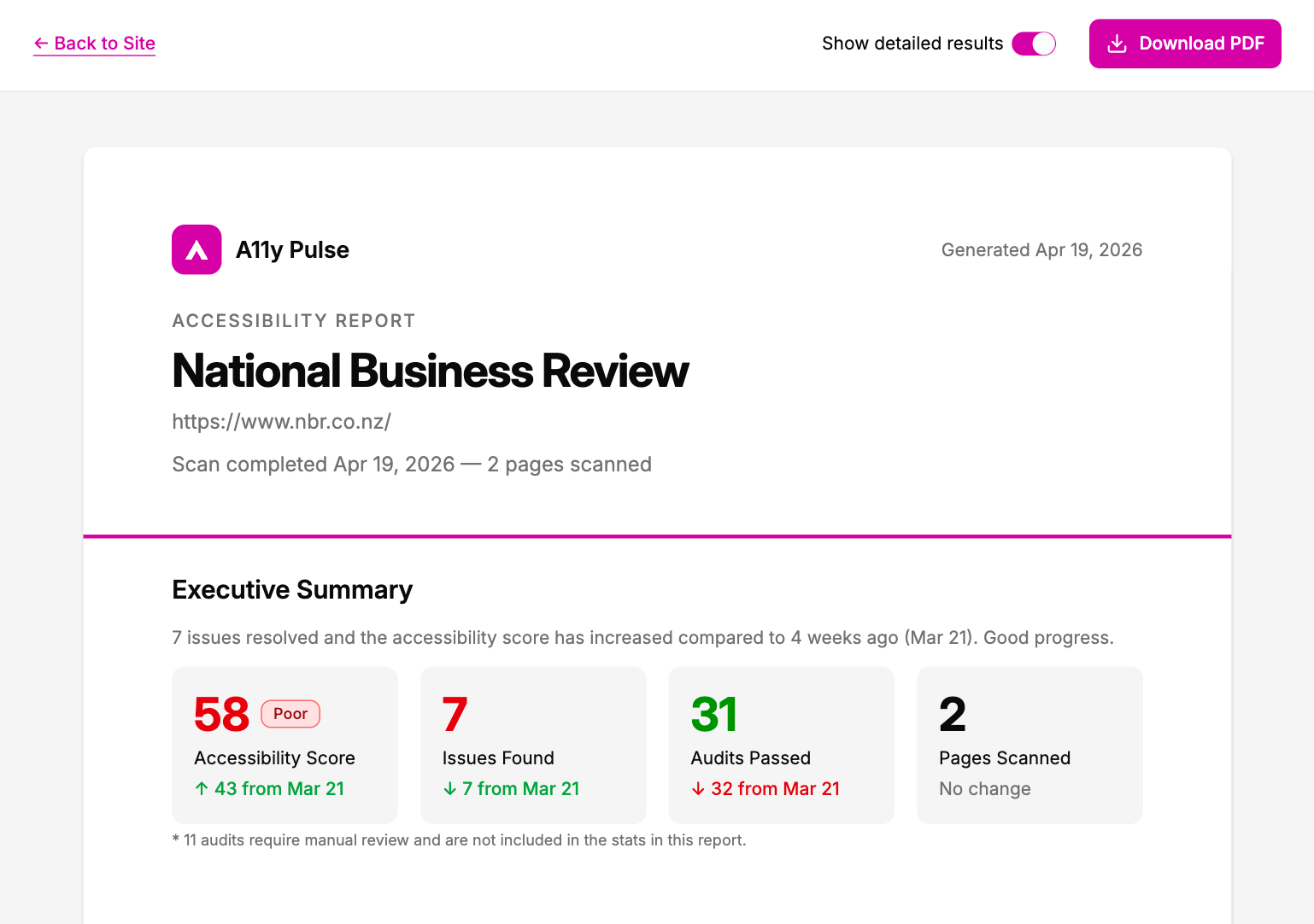
Generate branded PDF reports from any scan. A11y Pulse formats your results into a clean, readable document. No design tools, copy-pasting or manual effort needed.
- Cover page with your site name, date, and overall score
- Executive summary with pass/fail breakdown by severity
- Full issue list with WCAG references
Show progress over time
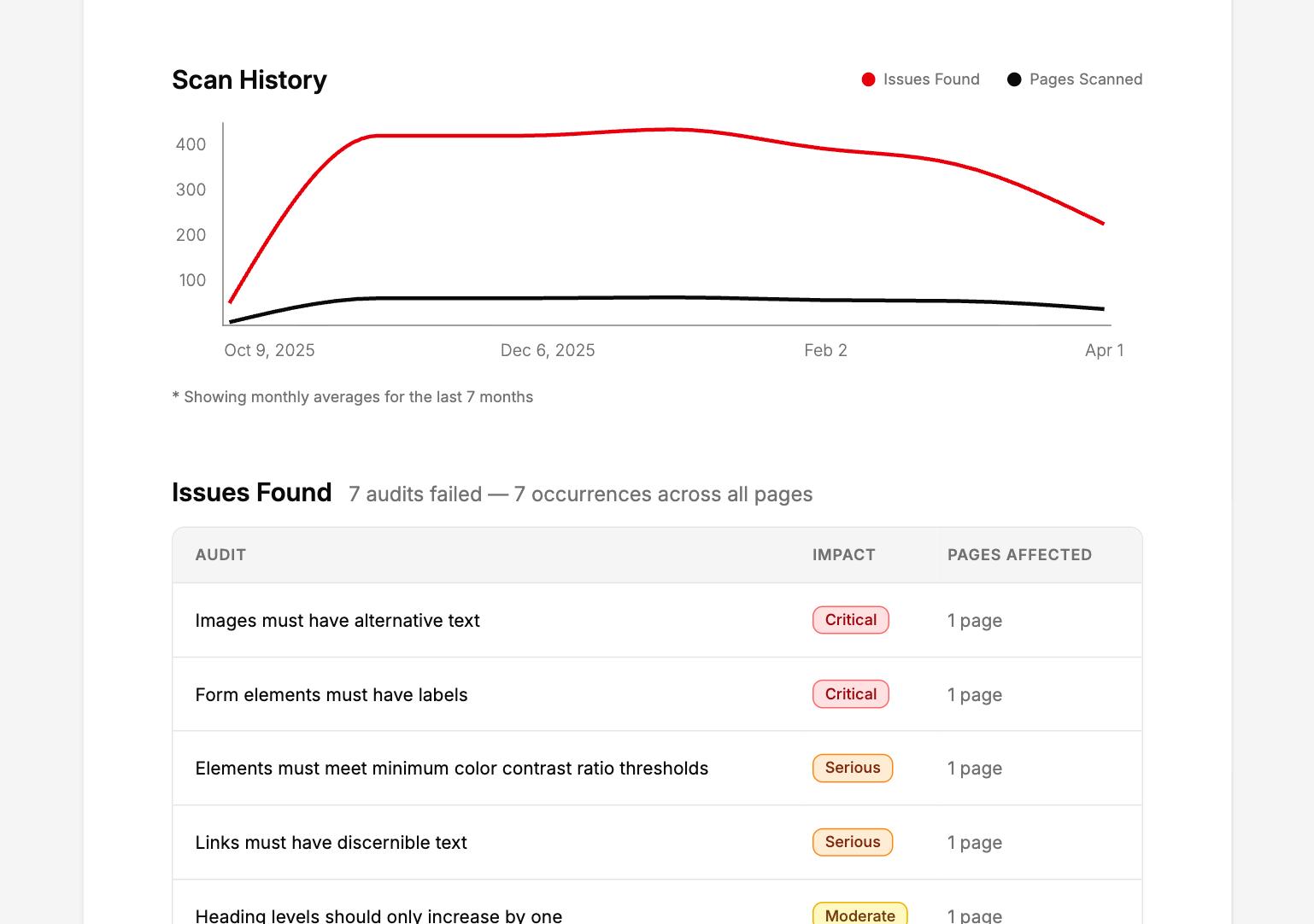
Every report includes a trend chart showing how your accessibility has changed over time. Giving clients and stakeholders clear evidence that issues are being addressed, not just identified.
- Issue trend chart from your scan history
- Timestamped for your own audit trail
Go deeper with the detailed appendix
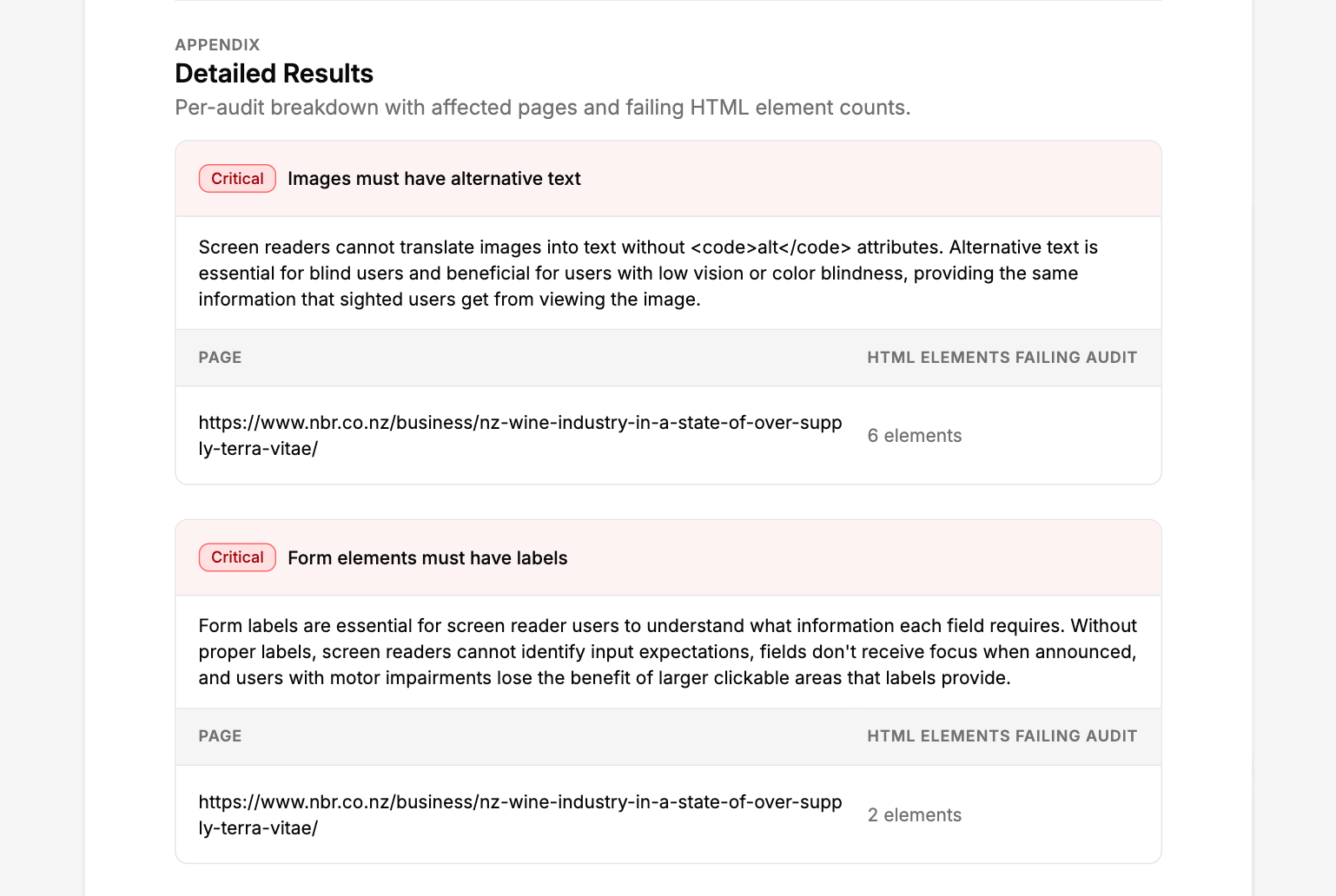
Every report includes a clear summary by default. For those who want to share more information, you can turn on the detailed appendix, which adds a full issue-by-issue breakdown. Showing which audits failed, why the audit matters, and which pages were affected.
- Which pages are affected by each failed audit and how many elements on each page
- Optional appendix adds details for each failed audit
- Can be turned on and off easily from the export page
White-label reports with your own branding
If you're sending reports to clients, they can carry your branding instead of ours. Upload your logo and company name in report settings, and they take the place of A11y Pulse on the cover of every report you generate. A toggle when you download lets you switch it off for internal copies. White labelling is included on every paid plan, we figure it's a pretty handy way for agencies to on-sell accessibility monitoring as their own service.
- Your logo and company name on the cover
- Set it up once, then toggle it per download
- Included on every paid plan

The process
How it works
Run a scan
A11y Pulse scans your site automatically every day. Or trigger an on-demand scan any time: before a client review, after a round of fixes, or before a compliance deadline.
Download your report
Open any scan and click Download PDF. Your report is ready in seconds, formatted, scored, and ready to send.
Share with stakeholders
Share the PDF however you like: email, Slack, a client portal. No login required to view it.
Every report includes your overall accessibility score, a breakdown of issues by severity (critical, serious, moderate, minor), and WCAG rule references. Turn on the detailed appendix to add the affected pages and elements for each issue.
The standard report covers your overall score, severity breakdown, and trend chart, designed for stakeholders and clients. The detailed appendix adds a full issue-by-issue list showing which elements failed and why each audit is important. Fix instructions stay in the app, API, and MCP server. You can toggle the appendix on when generating the report.
Yes. Every report includes a trend chart showing issues found across your scan history, so you can demonstrate progress to clients and stakeholders.
Yes. Add your logo and company name in your report branding settings and they replace A11y Pulse's on the report. It's included on every paid plan (reports generated on a trial carry a DRAFT watermark), and you can toggle the branding on or off each time you download.
Download the PDF and share it however you like. There's no login required to view the file. Just send it as an attachment or upload it to your preferred file sharing tool.
Share your first accessibility report in minutes
No credit card. No setup. Just your URL and a clear list of issues to fix.
Generate your first report