API updates: manage sites & pages, and trigger scans

Today we’ve released some important updates to the A11y Pulse API. At launch, our API had 8 read-only endpoints. From today, there are an additional 7 endpoints that allow you to manage your sites and pages, as well as trigger scans. This means you can now fully integrate A11y Pulse into your development workflow and automate accessibility testing.
The new endpoints are:
Sites
POST /v1/sites: Create a new sitePATCH /v1/sites/{id}: Update a siteDELETE /v1/sites/{id}: Delete a site
Pages
POST /v1/sites/{id}/pages: Add a page to a sitePATCH /v1/pages/{id}: Update a pageDELETE /v1/pages/{id}: Delete a page
Scans
POST /v1/sites/{id}/scans: Trigger a new scan for a site
You can find the full details of these new endpoints in the interactive API documentation.
New API key permissions
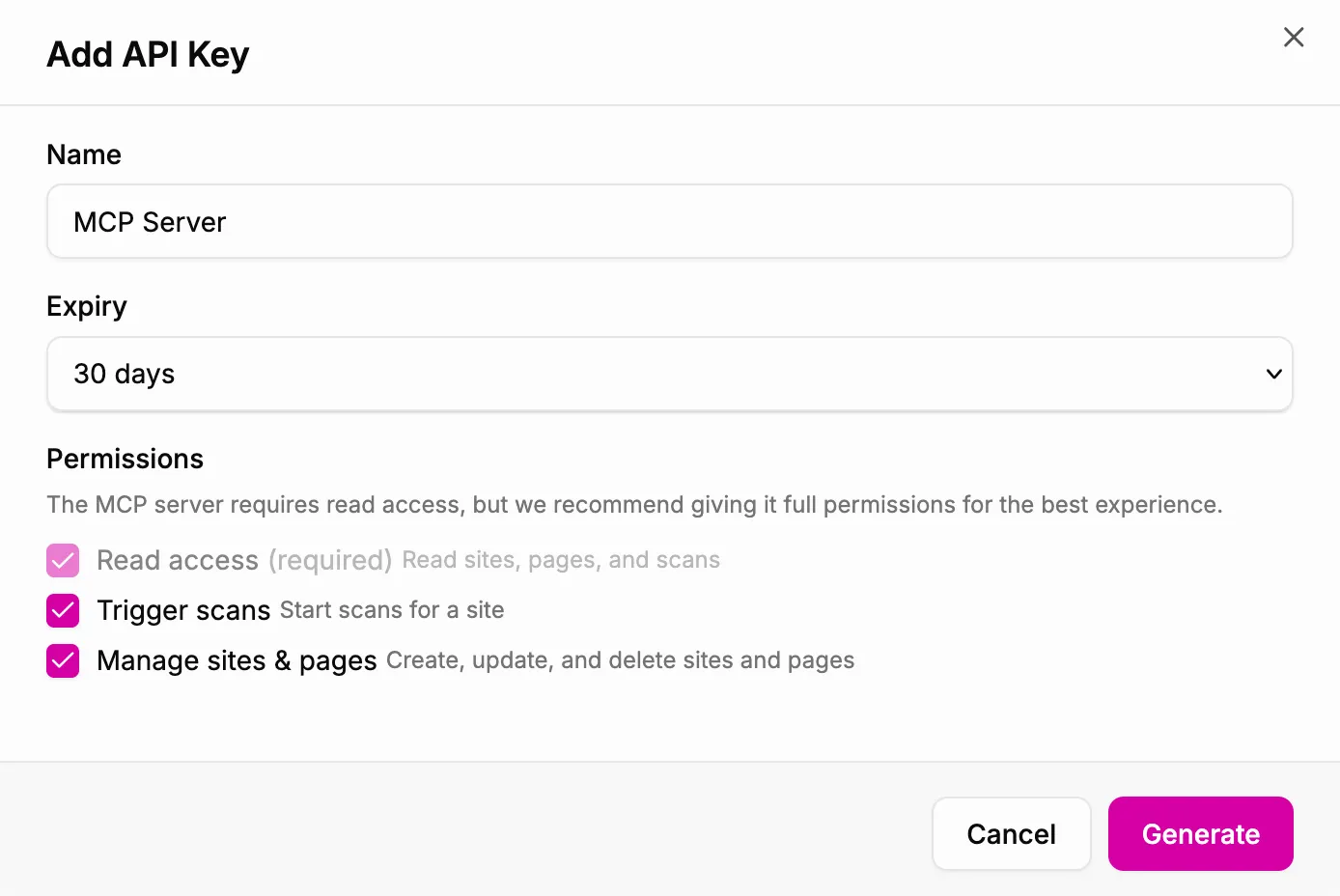
To support these new capabilities, we have added more granular API key permissions. When you create a new API key, you can now choose to grant it the following permissions:
- Read access: Read sites, pages, and scans
- Trigger scans: Start scans for sites
- Manage sites & pages: Create, update, and delete sites and pages
All of your existing API keys have been granted read access only. If you would like to make use of the new endpoints, you will need to create new API keys with the appropriate permissions.
Exciting new changes are coming!
Our MCP server continues to receive positive feedback, enabling A11y Pulse customers to easily fix accessibility issues from their existing agentic workflow. These new API endpoints have unlocked some exciting new changes for our MCP server, which we will be sharing more about in the coming weeks. Stay tuned for more updates!
Not using A11y Pulse yet? Sign up for a free trial and see how easy it is to bring continuous accessibility testing into your team's workflow.
Questions? We would love to hear from you. Drop us a line at [email protected].