We're introducing five new accessibility audits

The web accessibility landscape is due for a shake-up. We’ve just introduced five new audits that are not offered by any other tool, and we’re publishing the source code.
Our new audits cover five WCAG success criteria that static accessibility scanners simply cannot test. Building on the foundation of our WCAG 2.4.7 Focus Visible audit, the new A11y Pulse audits procedurally interact with your page to test it in ways that previously only a human tester could. Screenshots are taken throughout the audit so that you can easily identify which elements are failing and why.
Like the rest of A11y Pulse’s audits, all five of these new audits are source-available in the A11y-Pulse/audits repository.
Let’s take a look at each of the five new audits and how they work.
Reflow (WCAG 1.4.10)
Users with low vision often zoom in to make text readable. This can effectively constrain page content to a narrow column, and the Reflow success criterion helps to ensure that users can read the content without horizontal scrolling.
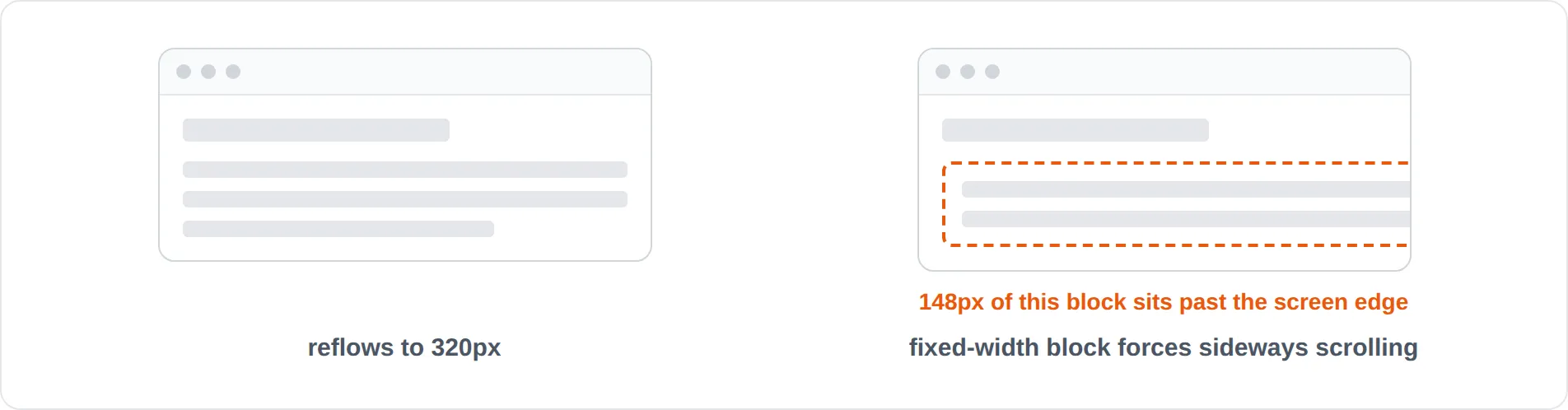
The mechanism for this audit is fairly simple: the browser’s viewport is resized down to a width of 320 pixels, and elements that overflow the viewport are reported. The audit allows some elements to scroll horizontally, such as large data tables. The reflow audit docs cover the exemptions and limitations in more detail.
Text spacing (WCAG 1.4.12)
Similar to the Reflow audit, users with low vision or dyslexia often increase line height, letter spacing, and word spacing so that text is easier to follow. The Text Spacing success criterion helps to ensure that content is still visible when these adjustments are applied.
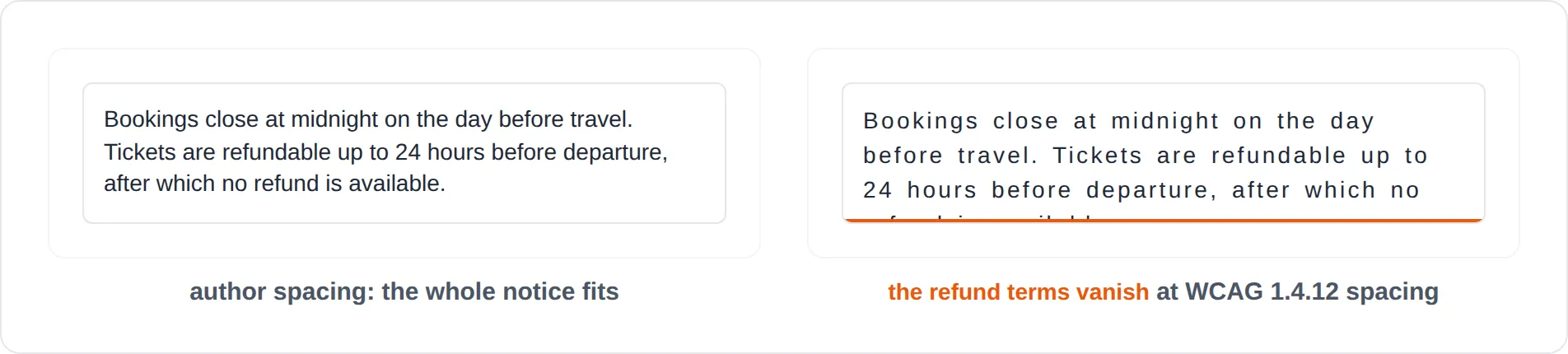
This audit works by increasing the line height, letter spacing, and word spacing; then measuring what happens to each block of text. Any content that appears to be clipped is reported as a violation. In some cases such as text overlapping its neighbour, the audit reports a “needs review” result so that a human can review the screenshot. There is more detail in the text spacing audit docs.
Skip links (WCAG 2.4.1)
Skip links let keyboard users jump past repeated navigation and straight to the main content. The Bypass Blocks success criterion helps to ensure that users have a way to do this, but a skip link that doesn’t actually move focus is no help at all.
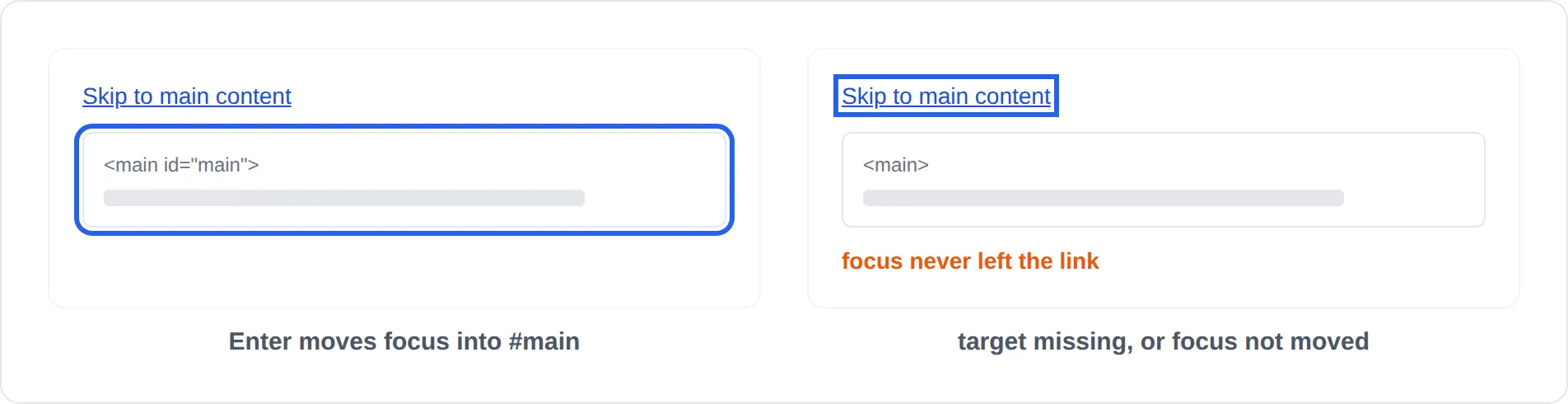
This audit looks for skip links among the first three tab stops, presses Enter on each one, and checks where focus lands. A skip link is reported as a violation if its target doesn’t exist, or if focus stays on the link instead of moving to the target. Pages without a skip link are not flagged, and the skip link audit docs explain why.
Focus not obscured (WCAG 2.4.11)
Keyboard users rely on the focus indicator to know where they are on the page. The Focus Not Obscured success criterion helps to ensure that the focused element isn’t hidden behind things like sticky headers, cookie banners, or chat widgets.
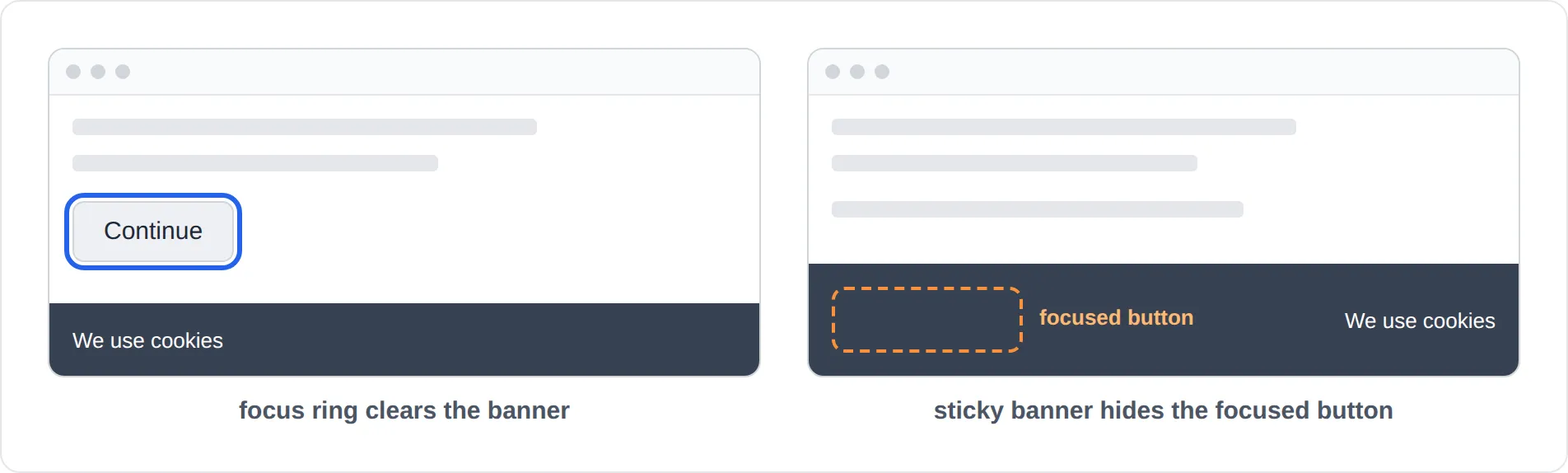
This audit tabs through the page and checks whether anything is covering the focused element at each step. Elements that are completely hidden are reported as violations, along with the element that is covering them. The success criterion allows elements to be partially hidden, so these are not reported. The focus not obscured audit docs cover this in more detail.
Context change on focus (WCAG 3.2.1)
Keyboard and switch users often tab through a page to explore it before deciding what to do. The On Focus success criterion helps to ensure that focusing an element doesn’t unexpectedly submit a form, open a new window, or navigate to another page.
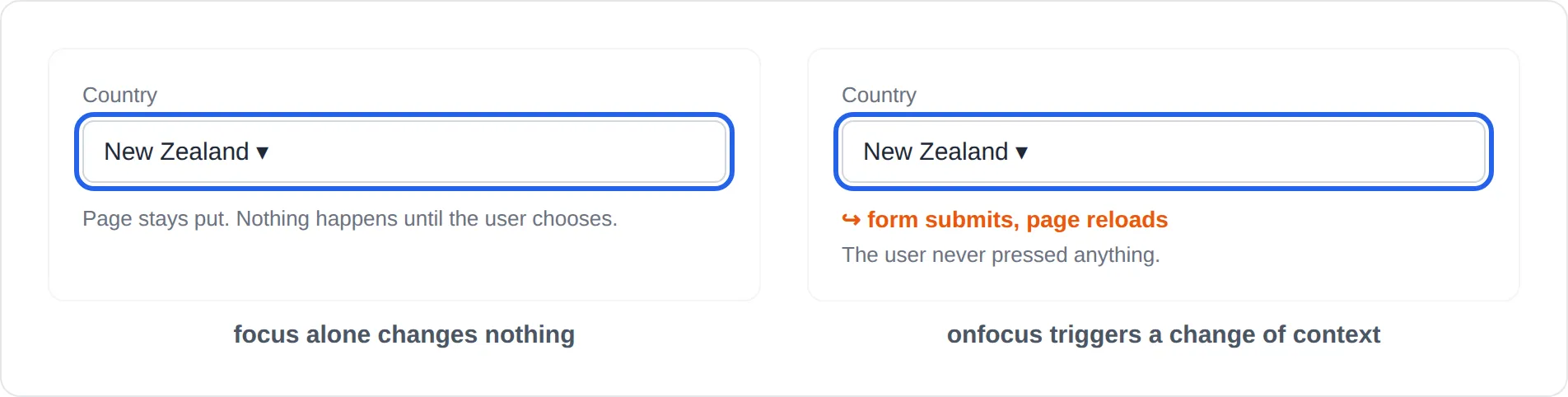
This audit focuses each element on the page and watches for changes of context: new windows or tabs, form submissions, URL changes, navigation, and focus being moved somewhere unrelated. Focus moving within the same widget is common and usually intentional, so it is reported as “needs review” rather than a violation. The context change on focus audit docs list exactly what the audit watches for.
The audits are opt-in for now
All five audits are launching as experimental, which means you need to turn them on for each site. Because they interact with your page, they have to judge whether what happened was really a problem, and there are more ways for that to go wrong. We’ve tested them on our own sites for months, but we want to see how they perform across more of the web before enabling them for everyone.
In the meantime, expect to spend a bit longer reviewing their results. If a result is wrong, you can ignore it like any other issue, and we’d love to hear about it.
Turning them on
Open a site, go to Settings, and switch on Include experimental audits under Scan settings. The setting only applies to that site, so you can try it on one site first. You can also turn it on through the API or the MCP server.
Passing these audits doesn’t mean your site meets the success criteria they’re named after. Automated checks cover roughly a third of WCAG at best, so use them alongside manual testing to help you work towards WCAG compliance.
Not using A11y Pulse yet? Sign up for a free trial and see how easy it is to bring continuous accessibility testing into your team's workflow.
Questions? We would love to hear from you. Drop us a line at [email protected].