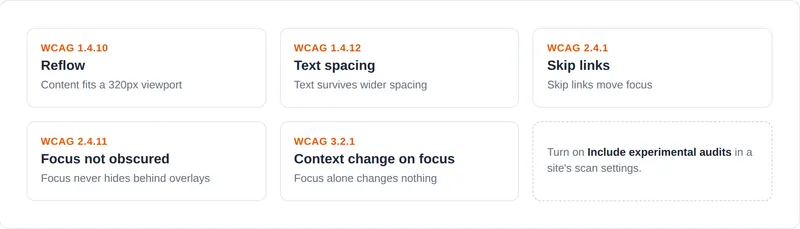
Each site’s scan settings now include an Include experimental audits switch. Turning it on adds five audits that we have been running against our own sites while we validate them, and leaves everything else about your scans unchanged. The switch is per-site, so you can trial the audits on one site before deciding whether to enable them everywhere, and you can turn it off again at any time.
The five audits are reflow (WCAG 1.4.10), text spacing (1.4.12), skip links (2.4.1), focus not obscured (2.4.11), and context change on focus (3.2.1). All of them drive a real browser rather than inspecting markup, so they catch problems that only appear once a page is resized or tabbed through: a fixed-width block that forces sideways scrolling on a phone, a notice that loses its last line when a reader widens the spacing, a skip link that doesn’t move focus, a button that disappears behind a cookie banner the moment it’s focused, and a form that submits itself when focus lands on it.
We’re calling them experimental because we have not yet seen them run against enough real sites to be confident in their precision. Expect to spend longer reviewing these results than the rest of your report, and expect some findings to turn out to be fine on inspection. Findings we are less certain about are reported as needs-review rather than as violations, and you can ignore individual results you have reviewed and accepted the same way as any other issue.