Slack Integration
The A11y Pulse Slack integration allows you to receive accessibility alerts directly in your Slack workspace. You can set up as many Slack integrations as you like, each configured to send alerts to a specific channel.
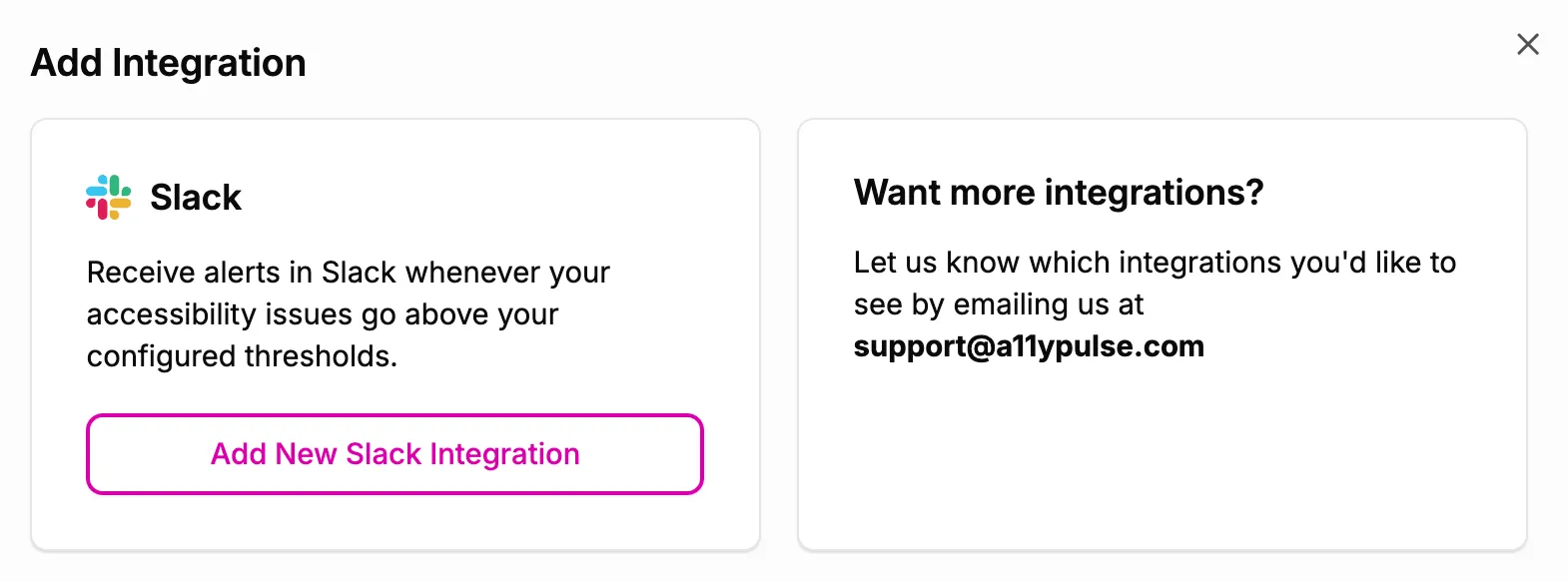
In A11y Pulse, navigate to Settings, Integrations, Slack. Click Connect Slack. This will redirect you to Slack to authorize the A11y Pulse app.
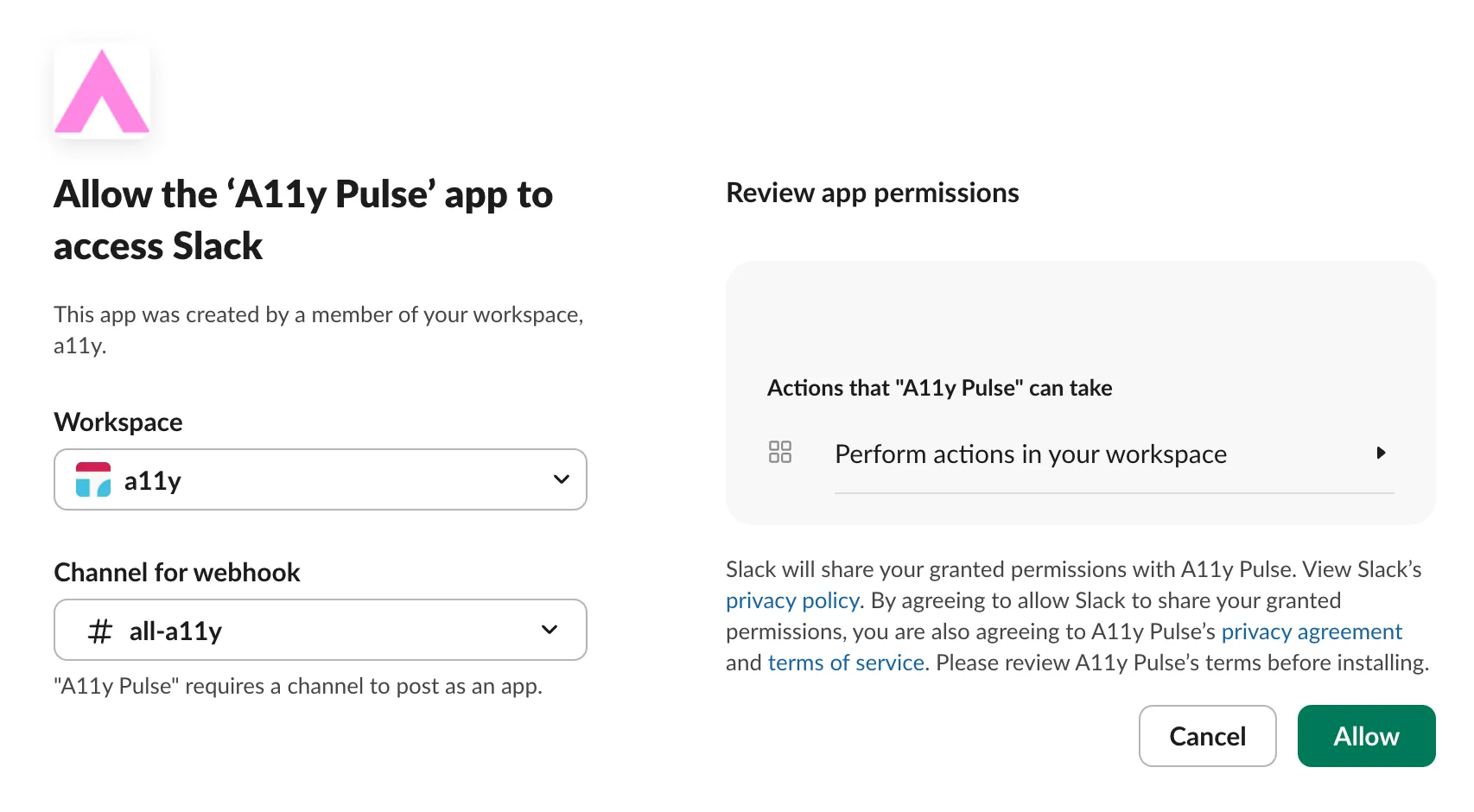
On the Slack authorization page, select the workspace and channel where you want to receive alerts, then click the Allow button.
Related documentation
- Accessibility AlertsReceive accessibility alerts via email, Slack, or Microsoft Teams when your website's accessibility gets worse.
- Microsoft Teams IntegrationSend A11y Pulse alerts to a Microsoft Teams channel by pasting a Workflow webhook URL.
- A11y Pulse BasicsLearn how to navigate A11y Pulse and how to get the most out of it.